
वर्णन
It is 🪄 a magical and easy-to-use digital clock with a beautiful UI, supporting multiple languages, locales, dates, captions, and time zones.
📌 Description
The Digital Clock Widget – the perfect addition to your website! This sleek and minimalist digital clock Gutenberg block (widget) offers a quick and easy way to display the current time on your site. With its clean design and unobtrusive style, it seamlessly blends into any webpage. Whether you’re running a blog, an e-commerce store, or a personal website, our widget keeps your visitors informed with accurate, real-time information. Easy to install and highly customizable, it’s the ideal choice for adding a touch of professionalism to your online presence. Upgrade your website today with the Simple Digital Clock Widget and keep your audience in sync with the times!
The plugin contains compressed JS code in order to save space and optimize the script. Following the WordPress community rules, we have opened a repository so that you can check and make sure that this code is malware-free and will not cause problems to its users.
Github: https://github.com/Timenow-zone/Simple-Digital-Clock-Widget
⭐️ FEATURES ⭐️
- 🚀 Lightweight (~11 KB gzip)
- 🗣 Locale support (BCP-47, e.g.,
en-US,uk,de-DE) - 🌐 IANA time zones (e.g.,
Europe/Kyiv,UTC) - 📝 Custom caption
- 🎨 Styling: color/gradient, radius, shadows
- 🔢 24-hour or AM/PM, ⏱ seconds, 📅 date
- 🔒 SSL-friendly, 📱 responsive, 🔍 SEO-friendly
- 💯 Free, no ads
How it works
- Add the Simple Digital Clock block in the editor or as a widget.
- Configure in the right sidebar:
- Locale (e.g.,
en-US,uk,fr-FR) - Time Zone (IANA ID, e.g.,
Europe/Kyiv,America/New_York,UTC) - Seconds, Date, 24-Hour (AM/PM), Caption
- Background/gradient, border radius, shadow, and font
- Locale (e.g.,
📌 Installation
= From your WordPress dashboard =
1. Go to Plugins Add New
2. Search for “Simple Digital Clock”
3. Install & Activate
4. Insert the block in the editor or add it as a widget (/wp-admin/widgets.php)
From WordPress.org
- Download “Simple Digital Clock”
- Upload to /wp-content/plugins/
- Activate
- Insert the block / add the widget
🍩 Donations
🕒 Sync Time: UTC
🗓️ Today’s Date: TodaysDateNow
स्क्रीनशॉट

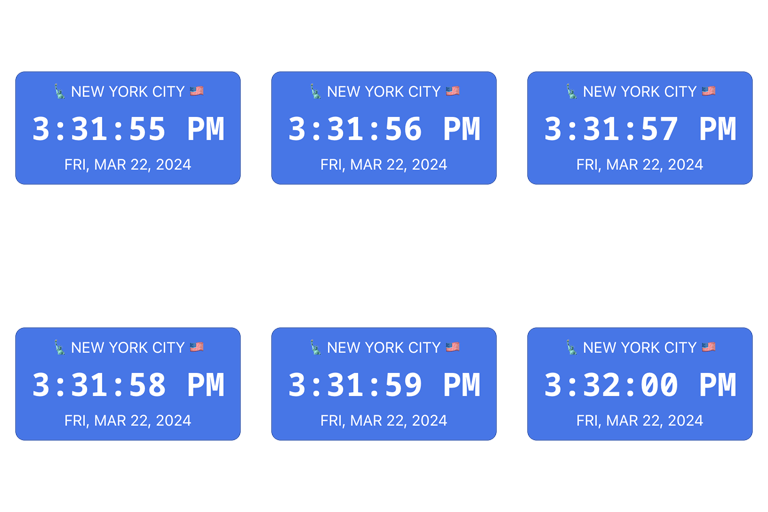
creenshot-1.png – Front-end examples: multiple Simple Digital Clock blocks on one page, each with different locales, time zones, colors, and formats (AM/PM or 24-hour). 
screenshot-2.png – Editor view: Gutenberg sidebar settings for the block (Container, Background Color, Options, Display, About, Advanced) to tweak size, radius, shadow, font, locale, time zone, seconds, date, etc. 
screenshot-3.png – Block inserter: searching “Clock” and selecting the Simple Digital Clock block to add it to the page.
ब्लॉक्स
हे प्लगइन 1 ब्लॉक प्रदान करते
- Simple Digital Clock Block Widget Block
नेहमी विचारले जाणारे प्रश्न
-
Can I set a custom locale (e.g., `uk` or `en-GB`)?
-
Yes. Use the Locale field and enter any valid BCP-47 tag.
-
How do I pick the time zone?
-
Use the Time Zone field and select any valid IANA ID (e.g.,
Europe/Kyiv,UTC). -
Can I use my own fonts?
-
You can choose from built-in mono fonts (Google Fonts) or keep the system font.
-
24-hour format
-
Yes. You can enable 24-hour time for any locale. Toggle 24-Hour in the block settings. For 12-hour time with AM/PM, turn it off.
-
Can I show different locales and time zones on the same page?
-
Yes. Each block is independent—set its own locale and time zone.
-
Is it fast?
-
Yes. The script is tiny and minified, with no heavy dependencies.
समीक्षा


योगदानकर्ते आणि विकसक
“Simple Digital Clock 🕒” हे मुक्त स्रोत सॉफ्टवेअर आहे. पुढील लोक या प्लगइनच्या निर्मितीत योगदान केले आहे.
योगदानकर्ते
“Simple Digital Clock 🕒” 8 लोकॅलसमध्ये भाषांतरित केले आहे. अनुवादकांना त्यांच्या योगदानाबद्दल धन्यवाद.
भाषांतर करा “Simple Digital Clock 🕒” तुमच्या भाषेत.
विकासातील आग्रह?
कोड ब्राउझ करा, SVN संग्रहालय तपासा, किंवा विकास लॉग च्या RSS द्वारे सदस्यता घ्या.
बदलांची यादी
1.0.3
- Updated: POT file.
1.0.2
- Fix: Minor bugs fixed.
1.0.1
- Fix: JavaScript issue resolved.
1.0.0
- New: Stable release published.
- New: 24-hour time format option.
0.2.1
- Fix: Minor bugs fixed.
0.2.0
- Enhancement: Clock JavaScript updated.
- Fix: Minor bugs fixed.
0.1.1
- Fix: Minor bugs fixed.
0.1.0
- Initial release.