
ຄຳອະທິບາຍ
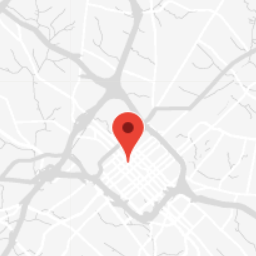
A Google Maps implementation for the WordPress block editor. This plugin has no functionality for the Classic Editor. Designed to be a feature rich implementation for Google Maps, this plugin requires a Google Maps JavaScript API key for use.
Features
- Unlimited marker locations
- Specific map center or based on marker locations
- Unlimited style options
- 6 standard style options
- Use Google’s Styling Wizard to generate your own styles
- Simple map options for height, zoom, default UI, and scrolling
- Align as default, wide, and full-width
ບລັອກ
ປລັກອິນນີ້ມີ 1 ບລັອກ.
- Advanced Maps Block
ການຕິດຕັ້ງ
- Upload the plugin files to the
/wp-content/plugins/advanced-maps-blockdirectory, or install the plugin through the WordPress plugins screen directly. - Activate the plugin through the ‘Plugins’ screen in WordPress
- Aquire a Google Maps JavaScript API key from the Google Cloud Platform Console. Ensure the API key has the “Maps JavaScript API” and the “Geocoding API” enabled.
- Add the “Advanced Map Block” to any page or post using the block editor. The block will prompt you for your API key. You will only need to add the API key once and will be able to add as many Advanced Maps Blocks as you need after adding the API key.
ການຣີວິວ

12 ມິຖຸນາ 2024
This plugin is useful but not yet fully compatible with the block widgets editor:
Function wp_enqueue_script() was called incorrectly. “wp-editor” script should not be enqueued together with the new widgets editor (wp-edit-widgets or wp-customize-widgets).
I hope you can find the time to fix this as this so far appears to be the best google maps block plugin available.
ຜູ້ຮ່ວມພັດທະນາ ແລະ ຜູ້ພັດທະນາ
“Advanced Maps Block” ແມ່ນຊອຟແວໂອເພັນຊອດ (Open Source). ບຸກຄົນຕໍ່ໄປນີ້ໄດ້ມີສ່ວນຮ່ວມໃນການພັດທະນາປລັກອິນນີ້.
ຜູ້ຮ່ວມພັດທະນາ
ແປ “Advanced Maps Block” ເປັນພາສາຂອງເຈົ້າ.
ສົນໃຈຮ່ວມພັດທະນາບໍ່?
ເບິ່ງລະຫັດ, ກວດເບິ່ງ ຄັງເກັບ SVN, ຫຼື ຕິດຕາມ ບັນທຶກການພັດທະນາ ຜ່ານ RSS.