
As a web developer working on Linux, having the right tools can make you more productive and allow you to build higher quality web apps. After years of web development on various Linux distributions, I‘ve settled on a toolkit that covers everything I need without unnecessary bloat.
Here are the 10 Linux web dev tools I couldn‘t live without:
1. Vim

Vim is a highly customizable, keyboard-driven command line text editor that‘s been a Linux staple for decades. Once you learn Vim‘s keyboard shortcuts, you can edit code very efficiently without ever touching your mouse.
Some killer Vim features for web devs:
- Syntax highlighting for HTML, CSS, JavaScript, PHP and more
- Plugins for code completion, linting, Git integration and more
- Powerful search and replace across multiple files
- Macros to automate repetitive text edits
- Split window editing for working on multiple files
It does have a learning curve, but Vim will supercharge your text editing once you get productive with it.
2. VS Code
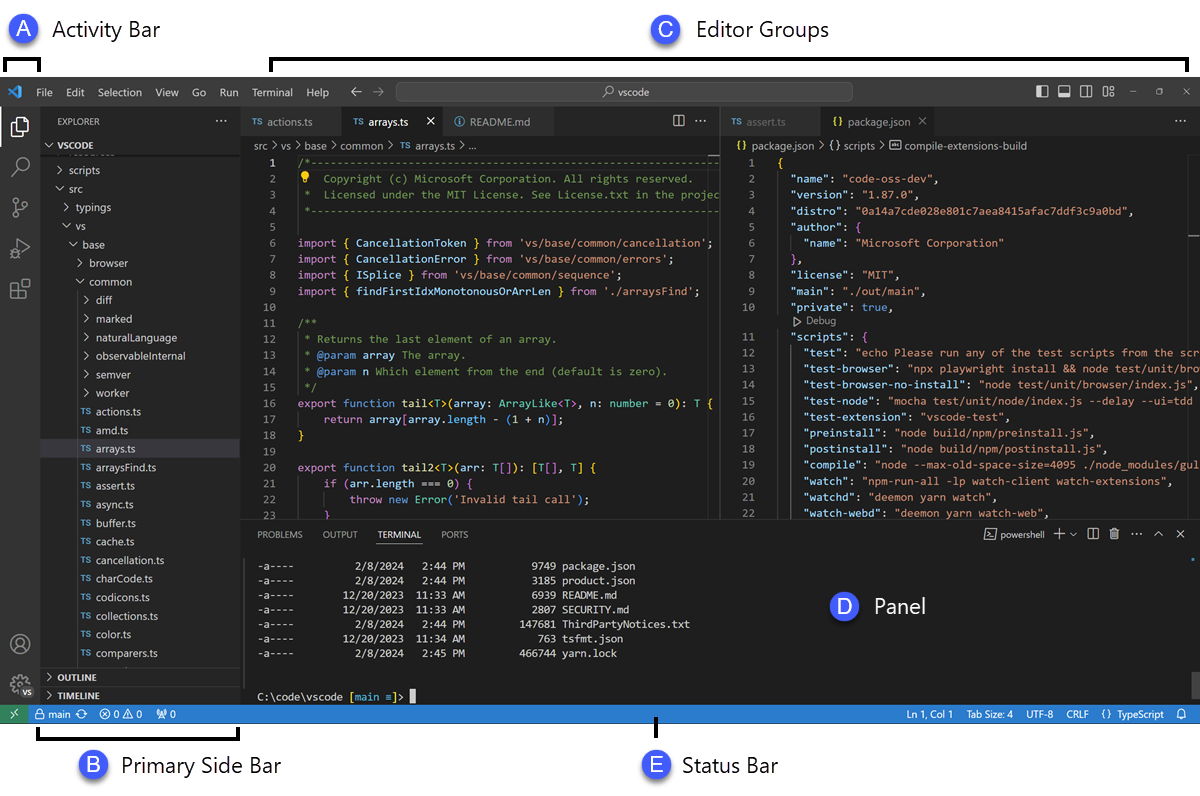
For a more modern and intuitive editor, VS Code is hard to beat. This open source code editor from Microsoft has become hugely popular among web developers.
VS Code gives you:
- Excellent support for JavaScript, TypeScript, HTML, CSS
- Built-in Git control
- A huge extension ecosystem
- Great code refactoring and IntelliSense code completion
- A clean, intuitive interface
It‘s less resource-intensive than traditional IDEs while still being very full-featured. VS Code makes an excellent companion editor to the terminal-based Vim.
3. Node.js

Node.js brings JavaScript to the server side and opens up whole new possibilities for web development. This runtime allows you to write back end code in JavaScript in addition to your front end code.
With Node.js on Linux, you can:
- Develop full stack apps entirely in JavaScript
- Write server-side code handling HTTP requests, databases, APIs and more
- Build real-time web apps using WebSockets communication
- Share code between back end and front end
- Use npm, the huge ecosystem of JavaScript libraries
Key advantages are speed, scalability, active community and using a single language throughout app development.
4. GitHub

While not strictly a tool you run locally, having GitHub for source control and collaboration is a must these days. GitHub hosts Git repositories online and gives you:
- Unlimited public and private repos to store code
- Issue tracking for tasks and bugs
- Pull requests for code reviews
- GitHub Pages for hosting sites
- GitHub Actions for CI/CD
- Team collaboration tools
- Community showcasing through profiles and repos
GitHub has done more to enable collaboration and transparency in development than any other platform.
5. Nginx

When developing for the web, having a good local web server to test code is critical. Nginx is fast, flexible and full-featured.
Nginx gives you:
- A high performance web server
- Support for HTTP, HTTPS, WebSocket, gRPC and other protocols
- Static file serving, reverse proxying, load balancing and more
- Easy virtual host configuration
- Robust security protections
- Scalability to handle high traffic
- Lots of customization via modules
With Nginx, you can test frontend and backend code locally before deploying to staging or production. It‘s enormously capable as a deployment server too.
6. MySQL

You‘ll want a good local database option when building data-driven web applications. MySQL is the world‘s most popular open source database thanks to its speed, reliability and ease of use.
MySQL is great for web developers because you can:
- Quickly install and configure it on Linux
- Use a familiar SQL interface to query and manipulate data
- Integrate MySQL with Node.js and other languages
- Take advantage of advanced database features as needed
- Migrate databases easily to production RDBMS like Oracle
For prototyping ideas and working with persistent data, having MySQL available locally is very useful.
7. Docker

Docker has revolutionized deploying and managing apps in production. Locally, it solves some major headaches for web developers as well by containerizing environments.
Docker enables you to:
- Isolate dependencies into lightweight containers
- Mirror production environments locally
- Onboard new team members quickly
- Rapidly test configuration changes
- Simplify CI/CD pipelines significantly
- Switch between Linux versions and distros easily
With so much reliance these days on complex toolchains and services for web apps, Docker provides some sanity. It‘s a must-have.
8. Postman

Modern web apps involve a lot of API development for accessing data and services. Postman is the go-to tool for testing and documenting APIs.
Postman gives you:
- An intuitive GUI for sending all kinds of API requests
- Support for OpenAPI/Swagger imports
- Code snippet generation in multiple languages
- Scripting and variables to customize requests
- Grouped collections to organize endpoints
- Test cases for API response validation
- Team library sharing and synchronization
No other tool makes it so easy to work with APIs. The Postman app completely simplifies the process.
9. Puppeteer

End-to-end testing web apps can be challenging. Puppeteer provides a streamlined API for controlling Chromium and Chrome programmatically.
With Puppeteer, you can:
- Launch automated browsers to access pages
- Crawl SPA content and perform actions
- Check for JS errors and debug issues
- Test forms and browser events
- Validate responsive designs
- Script workflows for consistency testing
- Grab coverage details of pages/sites
Having this kind of automated browser testing ability helps ensure apps work as designed across environments and fixes can be caught early.
10. Webpack

Many modern web app stacks rely on Webpack for managing client-side assets. It‘s a sophisticated module bundler that gives you:
- Bundling for JS, CSS, images, fonts and more
- Code splitting to lazy load routes
- Hot module reloading during development
- Tree shaking and minification
- Hashing and cache busting for production
- Easy migration path to Vite or Parcel if needed
Webpack enables you to componentize your frontend codebase and handle all processing and optimizations needed to ship production code. It supercharges browser app development.
Working on the jamstack? Building microservices? Developing full stack web apps? These 10 tools have you covered and will help you code more effectively while saving tons of time.
No matter what web technologies you‘re using, having the right Linux-based toolkit makes hitting the ground running on projects much easier. These are the tools I pick first when starting frontend, backend or DevOps work.
Let me know what Linux tools you depend on for your web development! I‘m always looking to optimize my workflow.

