


Photoshop Tutorial
From  to
to  with Photoshop.
This is the base,a picture of Brown University:
Desaturate the base and copy it. Put the second layer on screen and merge layers.
Copy the layer once more, sharpen the second layer and put it on soft light.
Merge the two layers.
It should now look like this:

Then I found this and this picture of Seth and Summer from OCTrailers.
Open a new 100x100 and cut about half of Summers face into the new square and use Free Transform to make it smaller.
Like this:

Do the same with Seth's face,just use the other second half of his face,from the one used on Summer. Now you have two halfs of two faces, give both of them a white 2px border. Move the two layers towards each other so they're "attached" to one another. Merge layers
Here:

Desaturate the picture, copy the layer, merge layers, copy the layer, sharpen it and then put the second layer on soft light. Copy the second layer so your third one's on soft light aswell.
You should then have this:
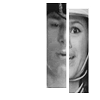
Copy merged into the first 100x100 with Brown University. Use Free Transform to get the Summer/Seth layer the size you want. Give it a new 2px border of white.
I decided to make it smaller and put it down to the right. Like this:

Make a 100x10 white border at the top and bottom of the icon:

Add a 7x100 of pink to the icon and put it on lighten
This is now your icon:

Add three small 7x7 boxes of various colours of pink to icon. Add a 1px border to each box, put it on lighten and scatter them around the icon.
Copy all layers and sharpen the copied layer and put the opacity on 35%.
Add some text and voilá; you're done.
 //
//
[The font used is violation and a 3px white border.]
It's my first tutorial,so if it's a badly explained,I'll blame that. But,if you've tried the tutorial,I'd love to see any icons you made from it.
to with Photoshop.This is the base,a picture of Brown University:
Desaturate the base and copy it. Put the second layer on screen and merge layers.
Copy the layer once more, sharpen the second layer and put it on soft light.
Merge the two layers.
It should now look like this:
Then I found this and this picture of Seth and Summer from OCTrailers.


Open a new 100x100 and cut about half of Summers face into the new square and use Free Transform to make it smaller.
Like this:
Do the same with Seth's face,just use the other second half of his face,from the one used on Summer. Now you have two halfs of two faces, give both of them a white 2px border. Move the two layers towards each other so they're "attached" to one another. Merge layers
Here:
Desaturate the picture, copy the layer, merge layers, copy the layer, sharpen it and then put the second layer on soft light. Copy the second layer so your third one's on soft light aswell.
You should then have this:
Copy merged into the first 100x100 with Brown University. Use Free Transform to get the Summer/Seth layer the size you want. Give it a new 2px border of white.
I decided to make it smaller and put it down to the right. Like this:
Make a 100x10 white border at the top and bottom of the icon:
Add a 7x100 of pink to the icon and put it on lighten
This is now your icon:
Add three small 7x7 boxes of various colours of pink to icon. Add a 1px border to each box, put it on lighten and scatter them around the icon.
Copy all layers and sharpen the copied layer and put the opacity on 35%.
Add some text and voilá; you're done.
// [The font used is violation and a 3px white border.]
It's my first tutorial,so if it's a badly explained,I'll blame that. But,if you've tried the tutorial,I'd love to see any icons you made from it.