


1st tutorial!
Go from  to
to  !
!
Im starting with this picture: because it tis a rather good looking picture.
Resize and crop your image

Now follow these steps:
1.duplicate layer three times,
-layer 2: soft light, desaturate
-layer 3: soft light
-layer 4: darken
2.use blur tool (opacity 100) to blur skin on layer 3
3.Flatten image
You should now have this:

Now, select the lens flare tool thingamajig:

Place it where you think it looks best. Settings should look like this:

Next step is to duplicate the image twice, set layer 2 to overlay and desaturate (opacity 100). Set layer 3 to color (opacity 100)
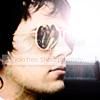
Flatten image.
Duplicate layer, set to soft light (opacity 50)
I sharpened his lips a bit, but that’s not completely necessary
Add some text and you’ve got your self a sexy man in an even sexier icon!
to !Im starting with this picture:
because it tis a rather good looking picture.Resize and crop your image
Now follow these steps:
1.duplicate layer three times,
-layer 2: soft light, desaturate
-layer 3: soft light
-layer 4: darken
2.use blur tool (opacity 100) to blur skin on layer 3
3.Flatten image
You should now have this:
Now, select the lens flare tool thingamajig:
Place it where you think it looks best. Settings should look like this:
Next step is to duplicate the image twice, set layer 2 to overlay and desaturate (opacity 100). Set layer 3 to color (opacity 100)
Flatten image.
Duplicate layer, set to soft light (opacity 50)
I sharpened his lips a bit, but that’s not completely necessary
Add some text and you’ve got your self a sexy man in an even sexier icon!