


Tutorial : Multiple animations with continuous effect
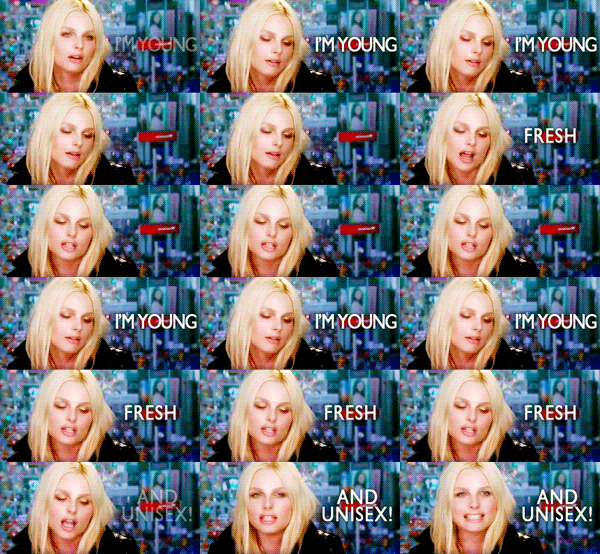 Step 1 : Preparing individual animations I chose this video to gif, the part where Andrej says "I'm young, fresh, and unisex!" at 0:27. I'm going to make 3 animations, each for every phrase he said. I'm not going to explain basic gif making/gif coloring in this tutorial, if you need any reference please see basic steps at my tumblr gif tutorial.  Each consists of 7, 10 and 14 frames. Step 2 : Placing text on animations I needed text to go with the gifs, so I used type tool on each gifs. For a fade in effect, I used this manual setting for the text layer : Frame 1 : not visible Frame 2 : 30% opacity Frame 3 : 60% opacity other frames : 100% opacity  (consists of 10 frames) Finish it with Animation options > Flatten Frames into Layers so you have the words permanently flattened in every layer.  On my second gif, I chose Animation option > Select All Frames > Copy Frames. Back to my third gif, I paste it before the first frame, and when prompted with paste method option, I chose "paste before selection". I repeated the same step and pasted my first gif. So I have this; my first, second, third animation together in one canvas :  Step 4 : Creating static frames  What you need to do is to know which frame is which (you can change your layers' name to help distinguish them). Go to your animation bar, select every frame of your first animation, and then, go toggle the visibility of the first frame of your second and third animation (see cap). Continue according to the table above. Here's what I got :  Step 5 : Finishing for tumblr  and another version in b/w using gradient map layer (bigger animation) :  *Please note that this animation has 31 frames in total, but not many movements and or bright colors in it so I could maintain the quality, but this might not work well with busier animation. I hope this is useful and I would love to see what you make using this technique! If you have questions you can leave them in the comments or in my original post here. |
