
chrome-extension
 chrome-extension copied to clipboard
 sibelius
Chrome Extension
Base code for Chrome Extension
Getting Started
Run the following commands to install dependencies and start developing
yarn && yarn dev
Scripts
yarn dev- runwebpackinwatchmodeyarn storybook- runs the Storybook serveryarn build- builds the production-ready unpacked extensionyarn test -u- runs Jest + updates test snapshotsyarn lint- runs EsLintyarn prettify- runs Prettier
Loading the extension in Google Chrome
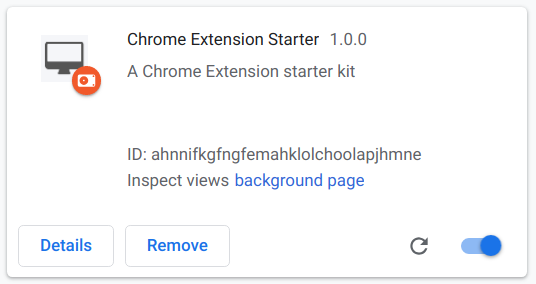
In Google Chrome, open up chrome://extensions in a new tab. Make sure the Developer Mode checkbox in the upper-right corner is turned on. Click Load unpacked and select the dist directory in this repository - your extension should now be loaded.
Loading the extension in Brave
In Brave, open up brave://extensions in a new tab. Make sure the Developer Mode checkbox in the upper-right corner is turned on. Click Load unpacked and select the dist directory in this repository - your extension should now be loaded.

Loading the extension in Mozilla Firefox
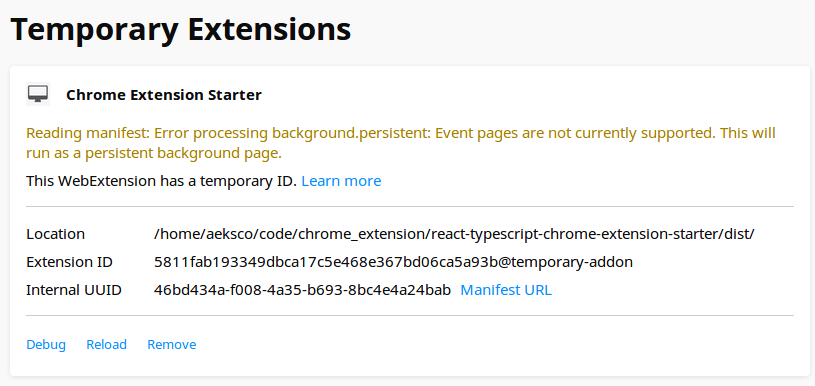
In Mozilla Firefox, open up the about:debugging page in a new tab. Click the Load Temporary Add-on... button and select the manfiest.json from the dist directory in this repository - your extension should now be loaded.
Misc. References