Well, good and bad news. I'll start with the good news. GOG.com recently announced their new update for the GOG Galaxy client, version 2.0, which does everything this did, but with a full development and design team backing their client. The bad news? I'm no longer working on this project. I will keep it up on GitHub for other users to see how it was done if needed.
A lightweight, beautiful game library consolidator and launcher built on NodeJS and Node-Webkit. Supports common game libraries and custom games such as DRM Free games.
- How do I add games that require Steam or UPlay?
- You can add a custom game under
Settings->Add Custom Game, and for the launch code, use the Steam or Uplay run URI.- Example:
steam://rungameid/{GAME ID}
- Example:
| Feature | Status |
|---|---|
| Blizzard App Support | Working |
| Steam Support | Working |
| Origin Support | Working |
| Uplay Support | Working |
| EPIC Launcher Support | Not Started |
| GOG Galaxy Support | Not Started |
| Extra / Non-Launcher Games | Working |
| --- | --- |
| Settings | Working |
| Custom Cover Art | Working |
| Edit Games | Started |
| Favorites | Working |
| Categories | Working |
- Install NodeJS
- Download NWJS SDK v0.33.1 and place it in the root folder under
/nwjs - Use
npm iin package bin directory to install required modules. - Start the program with the included executable
ApexLibrary.exe
Download the latest version here
I've decided to make a development roadmap. Not only to let users know what's coming up, but to keep myself on track. Check it out below.
- Choose Cover Art from a collection of pre-fetched art
- Drag + Drop sorting
- (*) Battle.Net / Origin / Steam / UPlay Integration
- UI Redesign
- Smooth Games Sorting Animations
- (*) Theme / Layout Settings
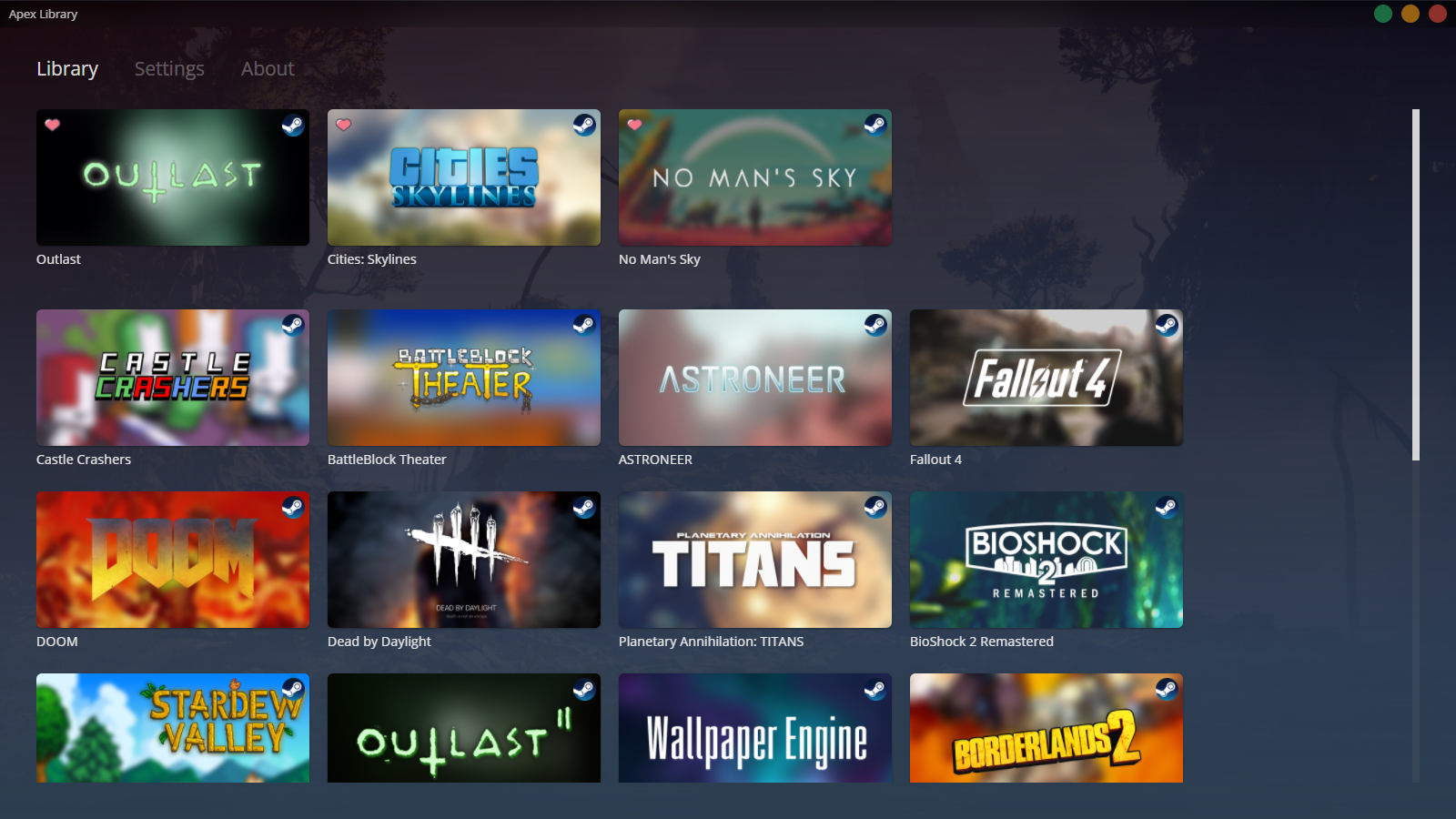
Click to view the video.
