This example shows how to implement a fullstack app with Nuxt using Vue (frontend) and Prisma Client (backend). It uses a Prisma Postgres database.
Use the try-prisma CLI to download this example:
npx try-prisma@latest --template orm/nuxt --install npm --name nuxt
Then, navigate into the project directory:
cd nuxt
Alternative: Clone the entire repo
Clone this repository:
git clone git@github.com:prisma/prisma-examples.git --depth=1
Install npm dependencies:
cd prisma-examples/orm/nuxt
npm install
Create a new Prisma Postgres database by executing:
npx prisma init --db
If you don't have a Prisma Data Platform account yet, or if you are not logged in, the command will prompt you to log in using one of the available authentication providers. A browser window will open so you can log in or create an account. Return to the CLI after you have completed this step.
Once logged in (or if you were already logged in), the CLI will prompt you to:
- Select a region (e.g.
us-east-1) - Enter a project name
After successful creation, you will see output similar to the following:
CLI output
Let's set up your Prisma Postgres database!
? Select your region: ap-northeast-1 - Asia Pacific (Tokyo)
? Enter a project name: testing-migration
✔ Success! Your Prisma Postgres database is ready ✅

We found an existing schema.prisma file in your current project directory.

--- Database URL ---

Connect Prisma ORM to your Prisma Postgres database with this URL:

postgres://<username>:<password>@<host>:<port>/<database>

--- Next steps ---

Go to https://pris.ly/ppg-init for detailed instructions.

Use the @prisma/adapter-pg driver adapter and configure your Prisma Client instance:
```bash
npm install @prisma/adapter-pg
import { PrismaPg } from '@prisma/adapter-pg'
const pool = new PrismaPg({ connectionString: process.env.DATABASE_URL! })
const prisma = new PrismaClient({ adapter: pool })-
Apply migrations Run the following command to create and apply a migration: npx prisma migrate dev
-
Manage your data View and edit your data locally by running this command: npx prisma studio
...or online in Console: https://console.prisma.io/{workspaceId}/{projectId}/studio
-
Send queries from your app If you already have an existing app with Prisma ORM, you can now run it and it will send queries against your newly created Prisma Postgres instance.
-
Learn more For more info, visit the Prisma Postgres docs: https://pris.ly/ppg-docs
</details>

Locate and copy the database URL provided in the CLI output. Then, create a `.env` file in the project root:

```bash
touch .env
Now, paste the URL into it as a value for the DATABASE_URL environment variable. For example:
# .env
DATABASE_URL=postgres://<username>:<password>@<host>:<port>/<database>
Generate the Prisma client:
npx prisma generate
Run the following command to create tables in your database. This creates the User and Post tables that are defined in prisma/schema.prisma:
npx prisma migrate dev --name init
Execute the seed file in prisma/seed.ts to populate your database with some sample data, by running:
npx prisma db seed
npm run dev
The app is now running, navigate to http://localhost:3000/ in your browser to explore its UI.
Expand for a tour through the UI of the app
Blog (located in ./app/pages/index.vue
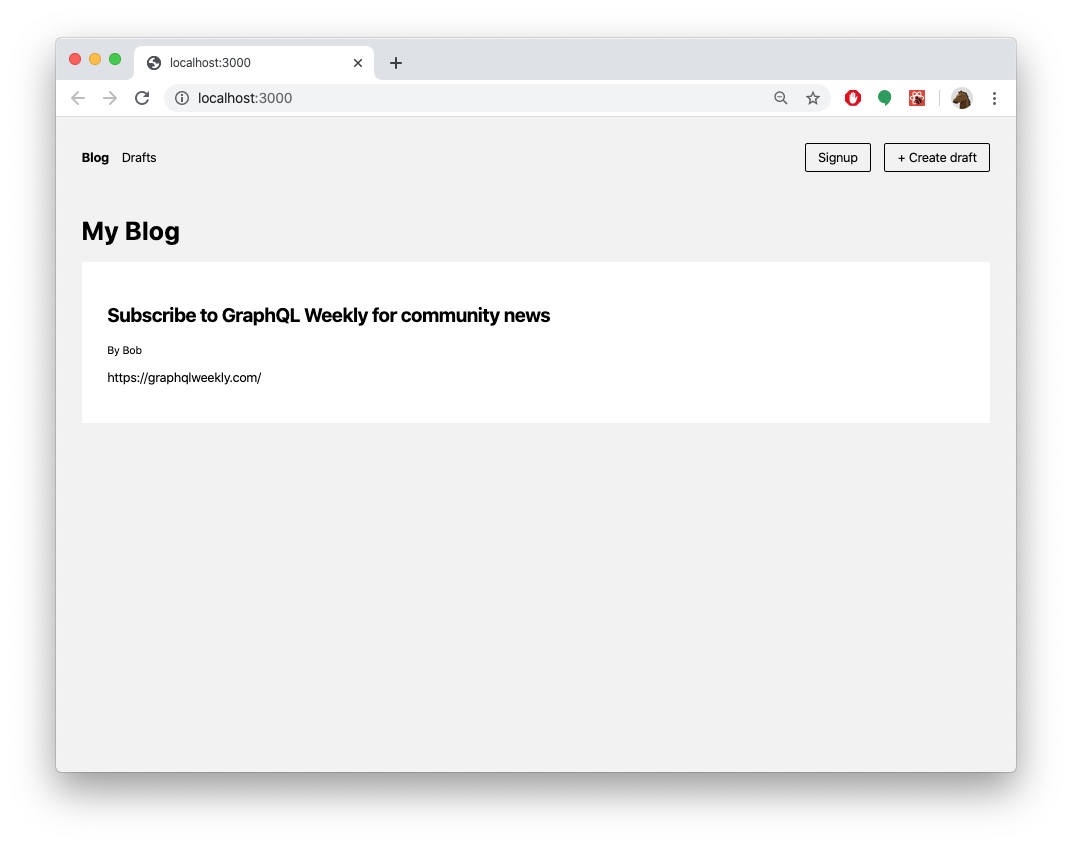
Signup (located in ./app/pages/signup.vue)

Create post (draft) (located in ./app/pages/create.vue)

Drafts (located in ./app/pages/drafts.vue)
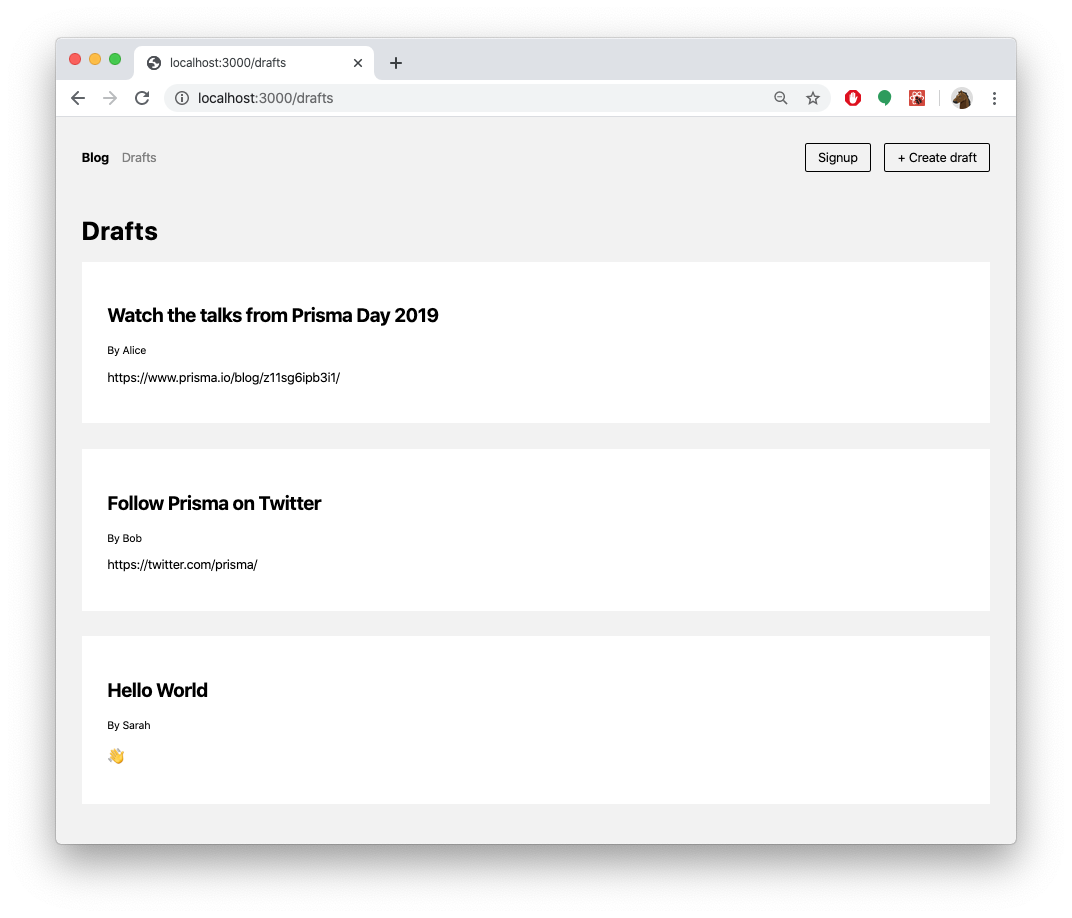
View post (located in ./app/pages/p/[id].vue) (delete or publish here)

You can also access the REST API of the API server directly. It is running on the same host machine and port and can be accessed via the /api route (in this case that is localhost:3000/api/, so you can e.g. reach the API with localhost:3000/api/feed).
/api/post/:id: Fetch a single post by itsid/api/feed: Fetch all published posts/api/filterPosts?searchString={searchString}: Filter posts bytitleorcontent
/api/post: Create a new post- Body:
title: String(required): The title of the postcontent: String(optional): The content of the postauthorEmail: String(required): The email of the user that creates the post
- Body:
/api/user: Create a new user- Body:
email: String(required): The email address of the username: String(optional): The name of the user
- Body:
/api/publish/:id: Publish a post by itsid
/api/post/:id: Delete a post by itsid
If you want to try this example with another database than PostgreSQL, you can adjust the database connection in prisma/schema.prisma by reconfiguring the datasource block.
Learn more about the different connection configurations in the docs.
Expand for an overview of example configurations with different databases
Before you proceed to use your own database, you should remove the Prisma client extension required for Prisma Postgres:
npm uninstall @prisma/extension-accelerate
Remove the client extension from your PrismaClient instance:
- const prisma = new PrismaClient().$extends(withAccelerate())
+ const prisma = new PrismaClient()To use your own PostgreSQL database remove the @prisma/extension-accelerate package and remove the Prisma client extension.
Modify the provider value in the datasource block in the prisma.schema file:
datasource db {
  provider = "sqlite"
  url      = env("DATABASE_URL")
}
Create an .env file and add the SQLite database connection string in it. For example:
DATABASE_URL="file:./dev.db""
Modify the provider value in the datasource block in the prisma.schema file:
datasource db {
  provider = "mysql"
  url      = env("DATABASE_URL")
}
Create an .env file and add a MySQL database connection string in it. For example:
## This is a placeholder url
DATABASE_URL="mysql://janedoe:mypassword@localhost:3306/notesapi"
Modify the provider value in the datasource block in the prisma.schema file:
datasource db {
  provider = "sqlserver"
  url      = env("DATABASE_URL")
}
Create an .env file and add a Microsoft SQL Server database connection string in it. For example:
## This is a placeholder url
DATABASE_URL="sqlserver://localhost:1433;initial catalog=sample;user=sa;password=mypassword;"
Modify the provider value in the datasource block in the prisma.schema file:
datasource db {
  provider = "mongodb"
  url      = env("DATABASE_URL")
}
Create an .env file and add a local MongoDB database connection string in it. For example:
## This is a placeholder url
DATABASE_URL="mongodb://USERNAME:PASSWORD@HOST/DATABASE?authSource=admin&retryWrites=true&w=majority"
- Check out the Prisma docs
- Join our community on Discord to share feedback and interact with other users.
- Subscribe to our YouTube channel for live demos and video tutorials.
- Follow us on X for the latest updates.
- Report issues or ask questions on GitHub.