Troubleshooting Guide
This guide is meant to help you getting SA Mod Manager to work. It addresses some of the common problems and errors.

This means you haven't selected the Game's location, unlike the previous Mod Manager, this Manager can work anywhere and with multiple games, so you have to set the game path manually.
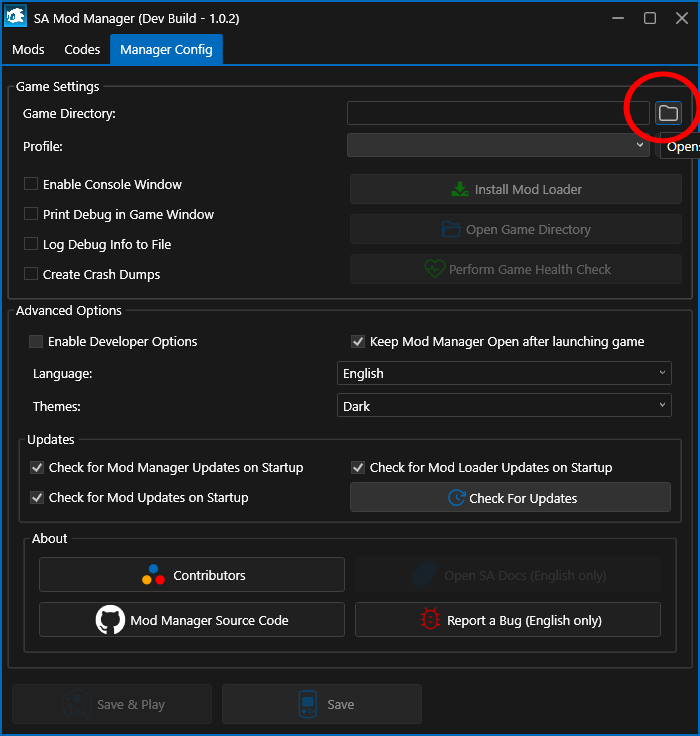
Note that if you had the previous Mod Manager before, you can directly update from it to install the new one and it will automatically set the game path for you in that scenario.

SADX has multiple PC versions and only the 2004 version is modded (and always will). You can download and install SADX Mod Installer to convert your game to 2004, it will install the new Manager automatically.
If you plan to use it for SADX, you can follow the guide here. If you want it for SA2, simply download it from the release page and put it in your SA2 folder, then run it through Proton Tricks. Please note that if you plan to use the Manager for both Adventure games, it is recommended to have a different copy of the Manager for each game, all in their respective game folder and just run them through Proton Tricks.
- Make sure both your Manager and Loader are up to date
- Make sure that you have Visual C++ Redistributable Runtimes (32 Bits) installed, even if you already had it, it's good to do a fresh reinstall.
- If you're still having issues, check if your game start without mods and codes (you can use the Profile feature in the Manager Config tab to save your mods list.)
- You have an outdated version of AppLauncher, go to your SADX Folder and delete AppLauncher (the exe and the folder) then open SAModManager and click on "Game Config" -> "Input" and click on "Get AppLauncher". It will download the latest version.
- Check in "Game Config" -> "Sound" if you have "Use BASS For Music" checked, if you don't, check it and try.
- If it still doesn't work, go in "Manager Config" and re set the game location, this will reinstall the dependencies, including BASS.
If after reading everything above you're still experiencing issues, you can open an issue here or on the X-Hax Discord Server through the Troubleshooting section.