Sidebar: Split block tools into menu, settings, and appearance tabs#45005
Conversation
|
@jasmussen and @jameskoster, any chance I can pick your brains on the best approach to improving the UX for these new sidebar tabs? 🙏 At present, this PR is omitting any tabs that do not have anything in them. I take it that is the desired approach? Given that, what's the desired behaviour when there are only block tools for a single tab? It looks a little odd when there is only the settings/appearance tab.
The display of panels within the tabs probably needs some tweaking. An example of this is when there is only the advanced controls panel being shown, collapsed, under the settings tab.
Open to any ideas you have and happy to give them a try. |


|
Wow, fast work. This feels pretty good to me. GIF showing new subtabs, with appearance and settings, and the new inspector icon:
Appearance should be the first tab.
I would lean towards yes, definitely, perhaps even with the addition that if we are at a point where there's only 1 tab left, remove the tabbar as well.
With settings as the 2nd tab, I think this is fine. |

|
FWIW I don't think it would be terrible to keep the tab, but display a "no settings" message:
Similar to how the "Block" tab itself behaves if you click it without having selected a block:
I can imagine folks being disoriented by missing tabs ("Why can't I edit the settings for this block?"). We might consider exploring this part of the UX in a follow-up? |


|
Great to see this. We should consider whether the default tab should be hinted by a block author. In the case of Paragraph we might want to default to Styles, for Navigation to List, and for Query to Settings, etc. |
|
Also, if a block has no Settings we should not render any tab and just show the style groups directly. |
|
Another thing that comes to mind is leveraging the Tips entry points we did a while ago for every block, as it could be shown on some of the Settings group when it's empty. |
|
This is likely unintentional, but the sidebar/inspector icon should be inverse, no?
|
EDIT: Nevermind, sorry didn't realise that was the mockup not a screenshot of this PR 🤦 Block Editor
Site Editor
|


|
Thank you everyone for the quick feedback 🙇
Appearance is now before the settings tab. While we are revisiting the order of tabs. The mockups on the issue have the Menu/List tab for the Navigation block first, should it remain like that? Does it make more sense to keep it located beside settings? Could blocks in future add their own tabs here?
I've refactored things so now if there is only a single tab with contents, we render those contents directly (no TabPanel). Having blocks define their default tab or including tips is still on the todo list. |
I would say potentially yes. One example could be transporting the concept in #44582 to the template part block itself. Perhaps content-locked containers as well. |
Very unlikely |
a87f200 to
1b9c616
Compare
|
Size Change: +671 B (0%) Total Size: 1.3 MB
ℹ️ View Unchanged
|
|
I've put these new tabs behind a new Gutenberg Experiment and rebased the PR to resolve the recent conflicts. The PR description has been updated accordingly. How best to implement allowing blocks to define their own default tab might require a little iteration so I'll get up the simplest implementation for that in a separate follow-up PR and work through it there. Hopefully, that might allow us to land this sooner and test more widely. While testing this locally with the Query block I found that it renders a "Create a new post" link into the
Would it be worth potentially adding a new slot to that |
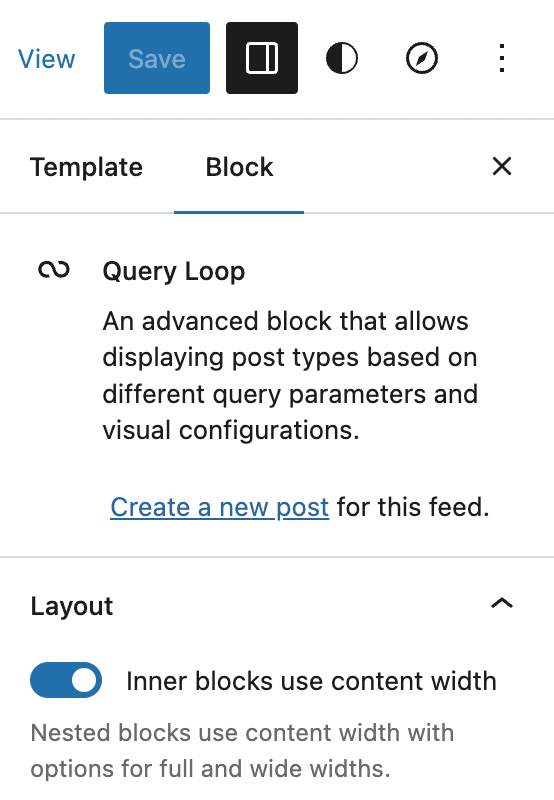

Probably, yes. We have to be careful with how we name it to make sure it's more semantic driven and less location driven. (Example: "I want to add something relevant to the block as a whole" vs "I want to print something within the block card".) |
|
Is there not already something available for that? I noticed that group transforms appear in the correct position:
|
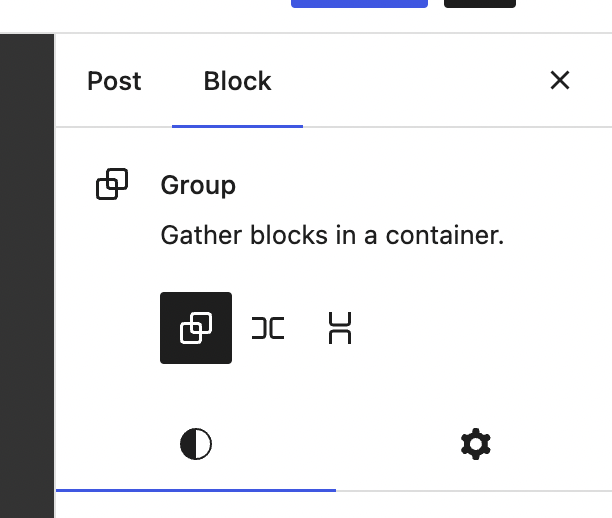
Good question. Unfortunately, those block variation controls are specifically rendered immediately following the Block Card. They don't offer a slot to render anything else into. |
|
Just flagging on this PR that there were some a11y concerns raised around inconsistent behaviour between blocks when allowing block-specific default tabs. This might also give us reason to reconsider omitting tabs when they would otherwise be empty for individual blocks. Keen to hear everyone's thoughts on this. cc/ @alexstine |
|
The problem with multiple tabs is if they are not used for every block, users will never know where to find anything. People with vision constantly discount these small details because you get a heck of an overview of a page. It is cumbersome and annoying to use a page with a screen reader especially when every block has a different experience. My advice, leave it alone if it is not really broken. There are other projects around the editor that could best enjoy our time. I think this could be a better idea down the road but we'd need to figure out how to communicate that info better to keyboard users. Thanks. |
|
Appreciate the great feedback @alexstine. Thank you for raising the a11y issues here and on #45304. Would maintaining the same tabs across all blocks (as suggested earlier in this PR) alleviate the majority of these concerns? To achieve that, we might need to consolidate the navigation block's menu tab into the general settings one. @mtias, @jasmussen, and @jameskoster, do you have any thoughts? |
There was a problem hiding this comment.
This looks good to me, considering the feature is behind an experiment toggle and won't be active by default it seems pretty much ready to merge save for a couple of issues.
I think it might be good to look at Alex's feedback, and come to a decision there about how the tabs should work in this first iteration.
Also the tab specific to the navigation block (while right from a UI point of view) doesn't feel like it's implemented in the right way, and I think it could be moved to a follow-up.
IMO, the query loop issue is a minor annoyance, but isn't a blocker. If you did want to fix it though you could always add some experiment specific code to query loop block itself to make that UI appear tidier (as a temporary measure).
Before shipping as well, it'd be good to update either #40204 or a new issue with all the outstanding tasks.
| .block-editor-block-inspector__tabs [role="tablist"] { | ||
| display: flex; | ||
|
|
||
| > * { | ||
| flex: 1; | ||
| } | ||
| } |
There was a problem hiding this comment.
I think this should be added as a new 'variant' of the tab panel component.
There was a related discussion over here about making that component support different styles - #44788 (comment).
It could be a separate PR, but would be good to make sure it's tracked in a task list, and maybe there's an opportunity to collaborate with Jorge on it.
There was a problem hiding this comment.
After looking into adding a variant to the TabPanel component, I think that might be better as a follow-up to open up the chance for a more substantial refactor to improve upon a few issues we've encountered with it of late. That also ensures it doesn't delay this PR unnecessarily.
Regarding a compromise option, I've reduced the new CSS to get the tabs to fill the available space equally, down to a single line. The current approach now also removes the introduction of a new SCSS file into the mix.
I'll create an issue for exploring TabPanel improvements shortly so it doesn't slip through the cracks.
|
@aaronrobertshaw One of the best ways to have good A11Y is to not change things. Consistency is very important and often times not really included in the modern React/Vue apps. The languages are very powerful but with power comes great responsibility. Aside from bad quotes, keep things as much the same as you can, you will eliminate confusion not only for A11Y users but everyone. |
|
I've rebased this and I'm going to merge it. Some things to note:
|
|
Thanks all the work here! I haven't checked the code here to suggest something, but just noting that Query Loop block uses a filter to add the Screen.Recording.2022-11-18.at.4.56.14.PM.mov |
|
@ntsekouras indeed, that is being addressed in #45437 |
Thanks! I missed that. |
|
Just wanted to add a little follow-up that this new functionality is working great in my testing with third-party extensions. Separating the content really simplifies the sidebar panel, great work everyone!
For extenders, is there a way to hook into either the Styles or Settings? Looks like any extensions are put in Settings, but maybe I am missing something. |
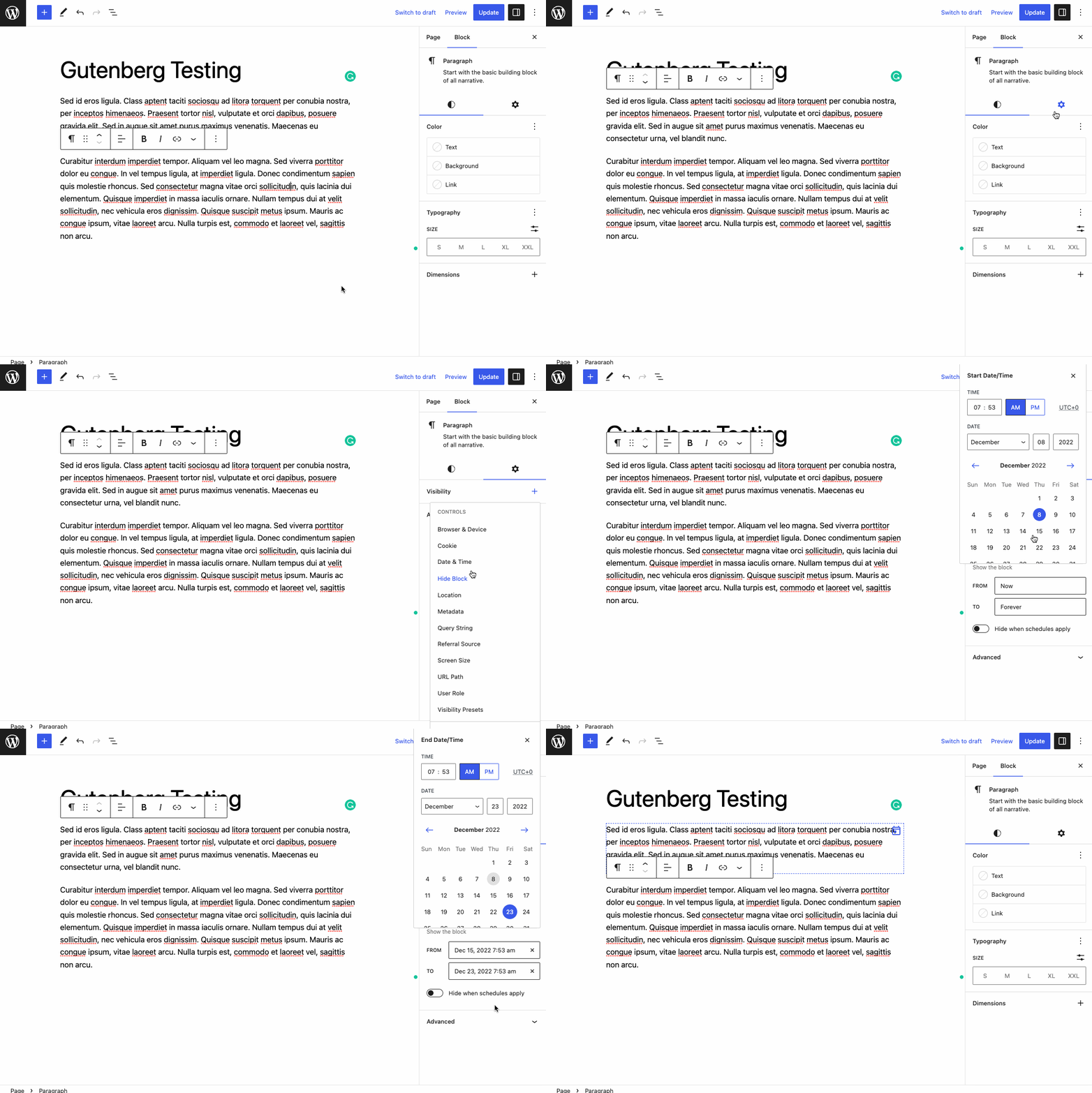
My apologies for the slow reply @ndiego. For now, any controls rendered into the block support panels dedicated to styling are rendered into the Styles tab i.e. border, colors, typography etc. Anything rendered to the default or advanced inspector controls slots will appear under the Settings tab. For reference you can see exactly what is rendered for each tab via the links below: As we gather feedback from this Gutenberg experiment, we'll aim to delineate what should be rendered within each tab and document the feature and our recommendations accordingly. |
No worries at all. Getting some really positive feedback on this experiment on Twitter. As I have played with it more, I like how only native block supports render on the styles panel. That said, I can see how people would want to add additional "style" controls to this panel, and custom blocks add another dimension. Definitely things to be worked out, but it feels like we are headed in the correct direction with this. |
Fixes: #40204
What?
InspectorControlsslot.Why?
It's another step towards decluttering the sidebar and making it more intuitive to locate and discover block tools.
How?
TabPanelcomponent to allow icon-only buttonsInspectorControlsslots into their respective tabs when the new experiment is enabledNote: Tabs are no longer omitted should they not have any fills in their respective slots. Instead, they'd display a message illustrating the fact there are no settings/appearance tools. This helps maintain a more consistent UI for a11y purposes.
Testing Instructions
Screenshots or screencast
Screen.Recording.2022-10-31.at.4.37.19.pm.mp4