-
Demeter is designed as an intelligent plant care system that employs a suite of sensors and actuators to create an optimal environment for plant growth. At its core, Demeter consists of a custom Arduino board that uses sensors to accurately measure temperature, humidity, light intensity, and proximity to both the user and potential threats, such as pests. This data is crucial for assessing the immediate conditions surrounding the plant, ensuring that it receives the right amount of warmth, moisture, and light.
-
To interact with the user, Demeter features an OLED display that presents vital information in an easily digestible format, allowing for quick checks on the plant's environment. For immediate threats, such as pests coming too close, Demeter is equipped with a bright LED and a loud buzzer. These actuators serve a dual purpose: deterring pests with sudden light and sound, and alerting the user to potential issues that need their attention.
-
What sets Demeter apart is its integration with a custom-made website, designed for comprehensive monitoring and management of plant care data. Through this website, users can gain insights into their plant's needs, and adjust care routines based on empirical data, making Demeter an invaluable tool for both novice and experienced gardeners alike.
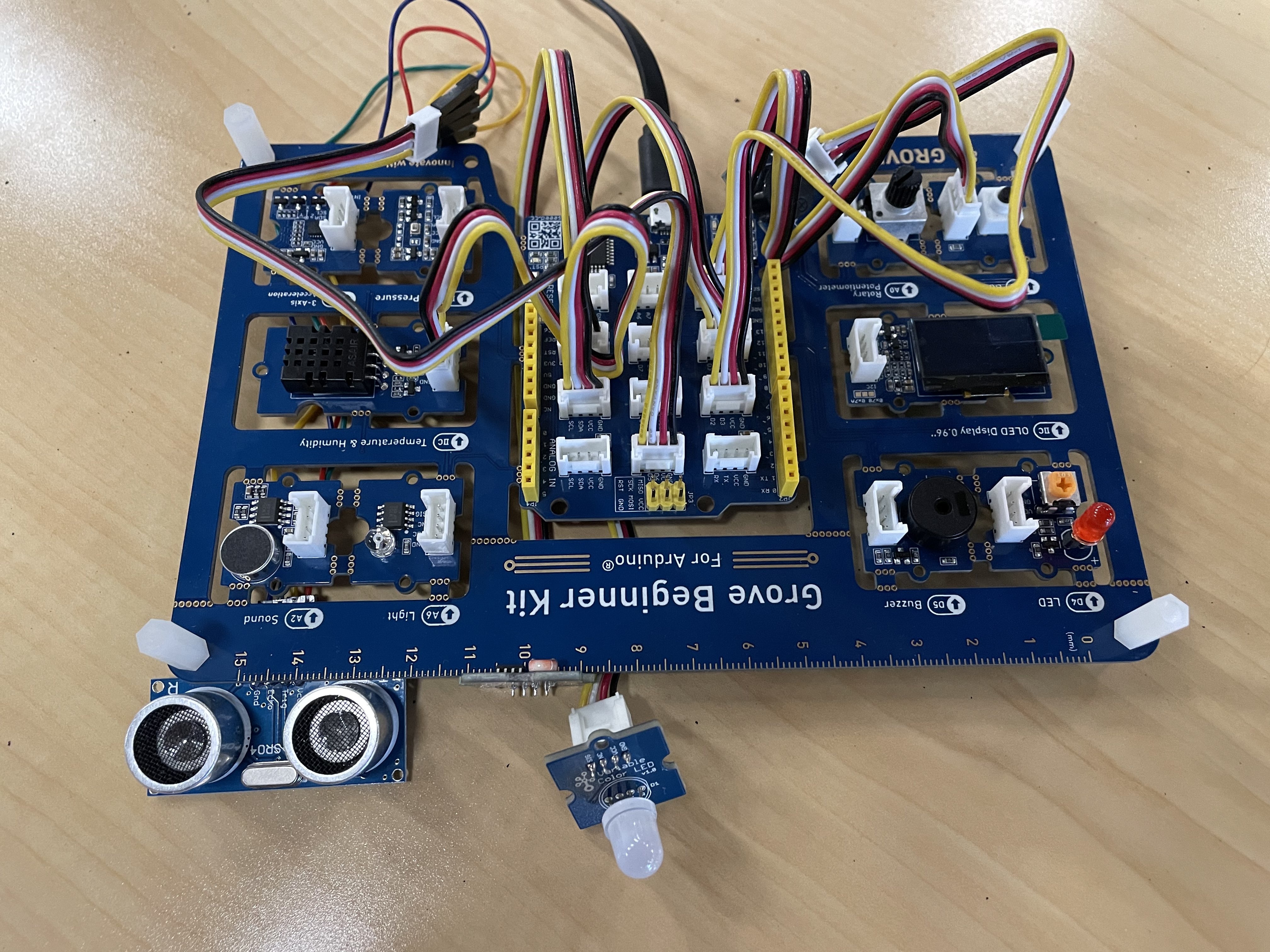
- Install all required libraries from the header of Arduino.ino
- Appropriate pins have been labeled at the start of the code and in the image to wire sensors to shield
- Open Arduino IDE and plug in the Arduino (selecting the right port and board)
- In the bottom right, copy down the serial bus (usually COM# in windows)
- Replace
"/dev/tty.usbserial-0001"in line 7 of arduino.py with the same"COM#"you found.