
📌 DOWNLOAD CODE protection against game stealing:
➡️ Download Here SiteLock.cs
This repository contains the GameMonetize.com SDK for WebGL Unity3D games. This allows you to display advertisements in the games published within the GameMonetize.com network. https://GameMonetize.com
Download here: https://drive.google.com/file/d/1bUobjZohH6CusVFwnHmNbYeZJiIjLMai/

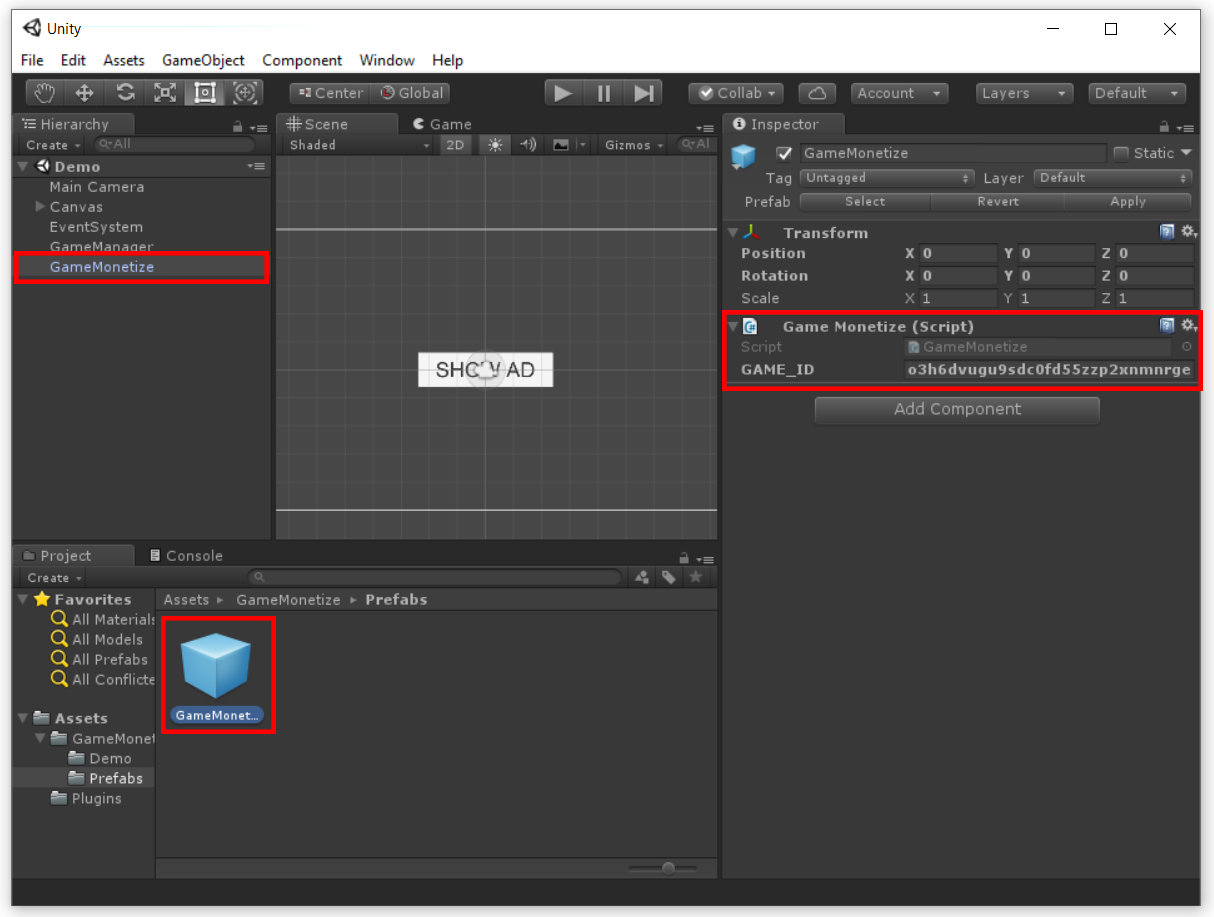
Drag the prefab "GameMonetize" into your scene.
Copy your GAME_ID in your GameMonetize developer's control panel (in the Game Management > My games > Our game), at https://gamemonetize.com/account/
Open the prefab and replace the GAME_ID values with your own keys.
Use GameMonetize.Instance.ShowAd() to show an advertisement.
Make use of the events GameMonetize.OnResumeGame and GameMonetize.OnPauseGame for resuming/pausing your game in between ads.


public class ExampleClass: MonoBehaviour {
	void Awake()
	{
	  GameMonetize.OnResumeGame += ResumeGame;
	  GameMonetize.OnPauseGame += PauseGame;
	}

	void OnDestroy()
	{
	  GameMonetize.OnResumeGame -= ResumeGame;
	  GameMonetize.OnPauseGame -= PauseGame;
	}

	public void ResumeGame()
	{
	  // RESUME MY GAME
	}

	public void PauseGame()
	{
	  // PAUSE MY GAME
	}

	public void ShowAd()
	{
	  GameMonetize.Instance.ShowAd();
	}
}
Answer: When your game is ready to upload, you need to compress all game files to .ZIP file - Root folder of .ZIP file must include index.html and game files
In the case where a developer wants to self-host their game, please contact us on at: info@gamemonetize.com
Answer: Together with our awesome developers, we have developed a script that will help you protect your games from theft of your Unity WebGL games.
Please DOWNLOAD HERE a file SiteLock.cs and attach this file to your Unity game, for any help or questions please contact us on at: info@gamemonetize.com
CREDITS TO: BestCrazyGames M3ntoL (https://bestcrazygames.com)
If you have any technical questions or comments, please email us at: info@gamemonetize.com
Or simply check documentation on: https://gamemonetize.com/sdk