Hello! It is not straightforward to precisely manipulate robotic vehicles (RVs) on simulators when you especially want to simulate cyber-physical attacks/defense.
I will keep sharing how I run RV software on simulators. If you want to contribute to this tutorial, please create a pull request.


Injecting sensor noise
Turning off filters
Leveraging an optical flow sensor
Testing object avoidance algorithms
Changing the start time clock (timestamp)
Troubleshooting
Injecting sensor noise in Gazebo simulation
Leveraging an optical flow sensor
Deploying PX4 v.1.13.0 into Crazyflie 2.1
Simulating mmWave radar with ROS2 and PX4
Troubleshooting
sudo apt-get install gcc python-dev libxml2-dev libxslt-dev
sudo apt-get install python-numpy python-pytest
sudo apt install curl
sudo apt install python2
curl https://bootstrap.pypa.io/pip/2.7/get-pip.py --output get-pip.py
sudo python2 get-pip.py
sudo python2 -m pip install --upgrade future lxml

git clone https://github.com/ArduPilot/mavlink.git
cd mavlink
git submodule update --init --recursive
cd pymavlink
sudo MDEF=`pwd`/../message_definitions python2 -m pip install . -v
# Update list of available packages
sudo apt update
sudo apt -y upgrade

# Install some dependencies
sudo apt install -y python3-pip

# Install mavproxy module and everything else needed
pip3 install mavproxy
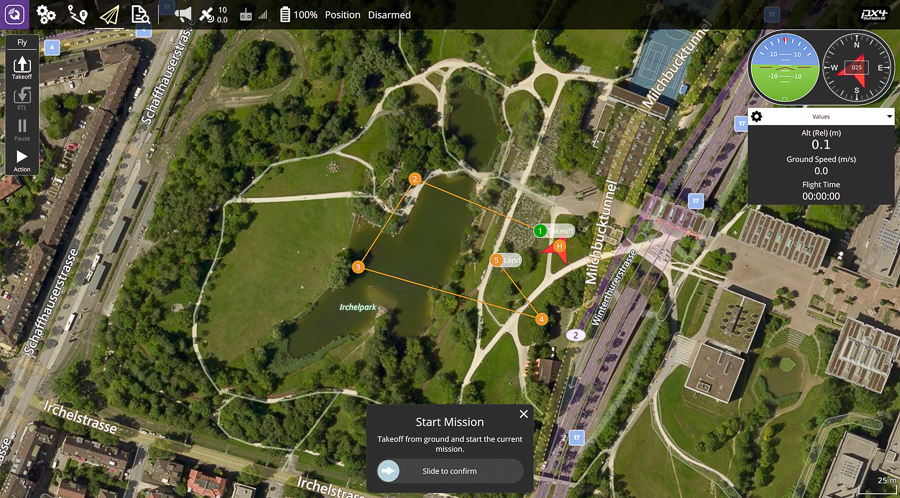
``` sudo usermod -a -G dialout $USER sudo apt-get remove modemmanager -y sudo apt install gstreamer1.0-plugins-bad gstreamer1.0-libav gstreamer1.0-gl -y sudo apt install libqt5gui5 -y ``` Logout and login again to enable the change to user permissions.
Download QGroundControl
When your operating system is Ubuntu 16.04,
Download QGroundControl v3.5.6
chmod +x ./QGroundControl.AppImage
./QGroundControl.AppImage  (or double click)

``` sudo apt install mono-runtime libmono-system-windows-forms4.0-cil libmono-system-core4.0-cil libmono-system-management4.0-cil libmono-system-xml-linq4.0-cil ```
Install mono
sudo apt install mono-complete
Get the lastest zipped version of Mission Planner (e.g., link)
Unzip in the directory you want
Go into the directory
Run Mission Planner with mono
mono MissionPlanner.exe