Pasting a copied instance of the effect gives the following error: 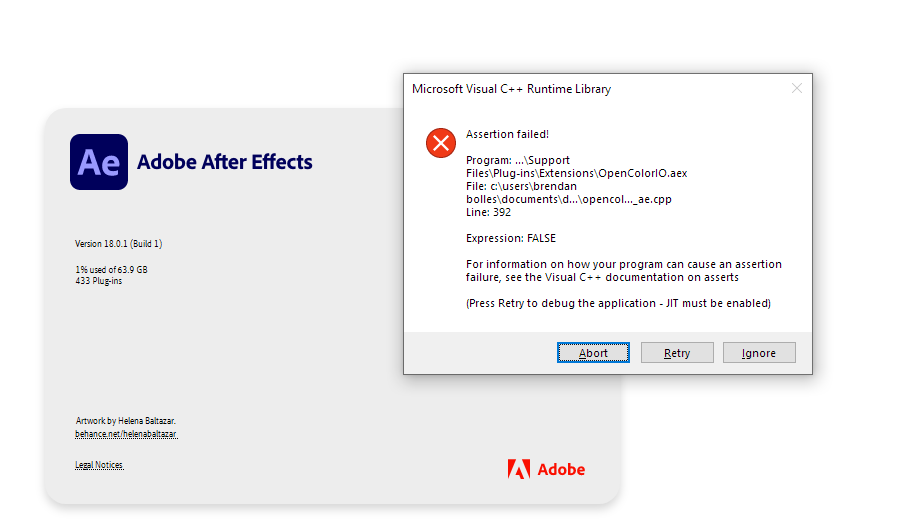 You can actually continue to use AE while the error window is there but if you press ignore it exits AE without saving. Steps to reproduce 1. Open After Effects (I'm using the -m argument to open multiple AE instances, don't know if that's related) 2. Create new composition 3. Create a solid in that composition 4. Add the OCIO utility to that solid 5. copy the effect (from the effect panel) 6. Create a second composition 7. Add a second instance of the solid to the second composition 8. In the effect window, edit->paste or press ctrl+v 9. That should do it! Video attached: https://user-images.githubusercontent.com/16046786/114137583-5468b800-9904-11eb-8ed6-f180de82d39f.mp4
Pasting a copied instance of the effect gives the following error:
You can actually continue to use AE while the error window is there but if you press ignore it exits AE without saving.
Steps to reproduce
Video attached:
OCIO.AE.assert.failed.2021-04-09.07-16-53.h264.mp4