
Question:
Our answer:
Materials borrowed from the 40 Florida public universities and colleges have a guaranteed loan period of 90 days. These items may be renewed once for an additional 30 days. Renewal requests can only be submitted within seven (7) days of the due date.
To renew your items, begin by going to the library website.
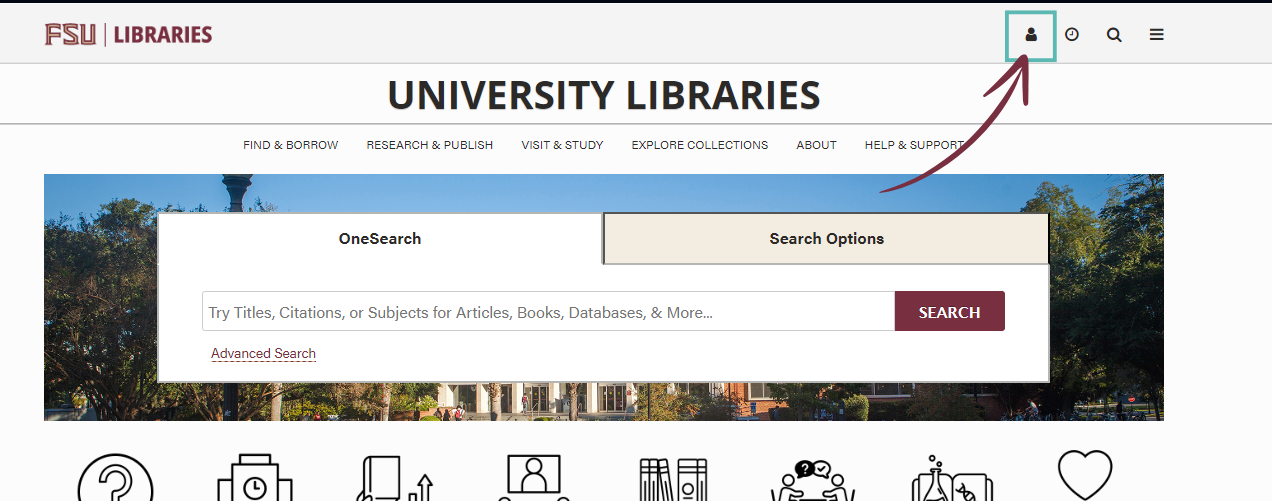
Log in to your library account by clicking the person icon in the upper right corner, then select "FSUID" and follow the prompts to sign in using your FSU credentials.

Once logged in, you will see an overview of all the UBorrow+ and FSU materials on your account. To view all loans, select "Loans" from the options at the top of the page.

Each loan will display the due date and pick up location. Locate any item with "FSU Strozier UBorrow Library Borrowing Resource Sharing Requests" listed as the pick up location. The renewal option will appear to the right of the item.

Note: These items are only eligible for renewal with 7 days of the due date.
Requests filled through the expanded UBorrow+ network have a loan period of 16 weeks and are not eligible for renewal.
For questions about UBorrow+ loans, email the Resource Sharing team.
Last Reviewed: 3/31/2026