
Description
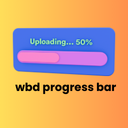
The WBD Progress Bar block is a simple yet powerful tool for displaying progress, statistics, skills, or any percentage-based data on your WordPress site. Built with modern web standards, this block offers smooth animations and a clean, professional appearance.
Key Features:
- Fully Static Block – Pure HTML/CSS output for maximum performance.
- Smooth Animations – Beautiful 0.3s transition effect when progress changes.
- Color Customization – Separate color controls for progress fill and background track.
- Percentage Display – Optional centered percentage text inside the bar.
- Style Variations – Thin (6px), Medium (12px), and Thick (20px).
- Fully Responsive – Works perfectly on all screen sizes.
- Accessible Design – Semantic HTML with ARIA attributes.
- No Dependencies – Built only with WordPress block components.
Perfect For:
- Skill & competency display
- Project completion indicators
- Goal tracking & fundraising
- Statistics & data visualization
- Survey results & polls
The block provides an intuitive editing experience with sidebar controls for adjusting the percentage (0–100), customizing colors, toggling percentage text visibility, and selecting from predefined style variations.
Blocks
This plugin provides 1 block.
- Progress Bar Display progress, skills, or statistics with a beautiful animated progress bar.
Installation
- Upload the plugin folder to
/wp-content/plugins/wbd-progress-bar. - Activate the plugin through the “Plugins” screen in WordPress.
- Add the WBD Progress Bar block to any post/page from the block inserter.
- Customize the percentage, colors, and style from the block sidebar.
FAQ
-
Can I customize the colors?
-
Yes! The block includes color pickers for the progress fill and background track so you can match your site’s design.
-
How do I change the progress percentage?
-
Use the “Progress Percentage” number control in the block sidebar. Enter any value from 0 to 100.
-
Can I hide the percentage text?
-
Yes, there is a sidebar toggle named “Show Percentage Text” that lets you hide or display the percentage.
-
What are the style variations?
-
The block includes three variations:
* Thin – 6px height for subtle displays
* Medium – 12px (default)
* Thick – 20px for a bold look -
Is the block responsive?
-
Yes! The progress bar automatically adapts to all screen sizes.
-
Does it work with the Full Site Editor?
-
Absolutely. The block works with both the post editor and the Full Site Editor (FSE).

Contributors & Developers
“WBD Progress Bar” is open source software. The following people have contributed to this plugin.
Contributors
Translate “WBD Progress Bar” into your language.
Interested in development?
Browse the code, check out the SVN repository, or subscribe to the development log by RSS.
Changelog
1.0.0
- Initial release.
- Progress percentage control (0–100).
- Custom fill and track colors.
- Optional percentage text display.
- Three style variations (Thin, Medium, Thick).
- Smooth transition animations.
- Fully responsive design.
- Static block with clean HTML output.