What is ThinLinc?
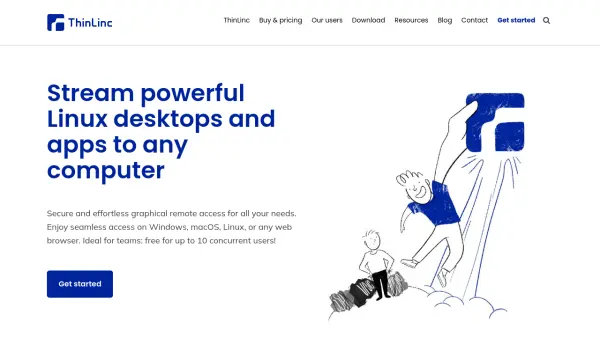
ThinLinc is a remote desktop solution designed to deliver Linux desktops and applications to various devices through a secure and efficient graphical interface. It enables users to access centralized Linux workspaces from Windows, macOS, Linux, or any web browser, offering a seamless experience that mimics local usage. The tool is particularly beneficial for teams, as it supports up to 10 concurrent users for free, with options to scale through subscription-based licenses for larger deployments.
With features like HTML5 web client access, easy installation, and robust security protocols, ThinLinc simplifies remote access management. It is ideal for organizations seeking to integrate Linux into Microsoft- or Apple-centric environments, media production, high-performance computing, and other use cases requiring reliable graphical remote access. The solution includes technical support and upgrades through subscriptions, ensuring ongoing performance and compatibility.
Features
- HTML5 Web Client: Access Linux desktops from any web browser without local installation
- Free Usage: Supports up to 10 concurrent users at no cost for individuals and organizations
- Cross-Platform Compatibility: Works on Windows, macOS, Linux, and web browsers for versatile access
- Centralized Management: Streamlines graphical Linux workspaces for teams and organizations
- Security Protocols: Includes built-in security features to protect remote connections and data
Use Cases
- Providing Linux access for Microsoft- or Apple-centric organizations
- Centralizing graphical Linux workspaces for remote teams
- Supporting media production with remote graphical access to Linux systems
- Enabling intuitive graphical access to high-performance computing (HPC) resources
- Replacing legacy remote desktop solutions like Sun Ray or Oracle SGD
FAQs
-
How many users can use ThinLinc for free?
ThinLinc is free to use for up to 10 concurrent users per individual or organization worldwide, with no obligations. -
What is the difference between free ThinLinc and commercial ThinLinc?
From a technical perspective, there is no difference; the free version supports up to 10 users with community support, while the commercial version requires a subscription for more than 10 users and includes professional technical support and upgrades. -
How do I scale up ThinLinc for more than 10 users?
To scale beyond 10 users, you need to purchase ThinLinc subscriptions, which provide user licenses and install them on the ThinLinc server. -
What platforms does ThinLinc support for client access?
ThinLinc supports client access on Windows, macOS, Linux, and any web browser through its HTML5 web client. -
Is technical support included with ThinLinc subscriptions?
Yes, ThinLinc subscriptions include technical support directly from Cendio, with options for standard or premium support levels offering different response times and access methods.
Related Queries
Helpful for people in the following professions
ThinLinc Uptime Monitor
Average Uptime
98.33%
Average Response Time
1099.77 ms