

What is testssl.sh?
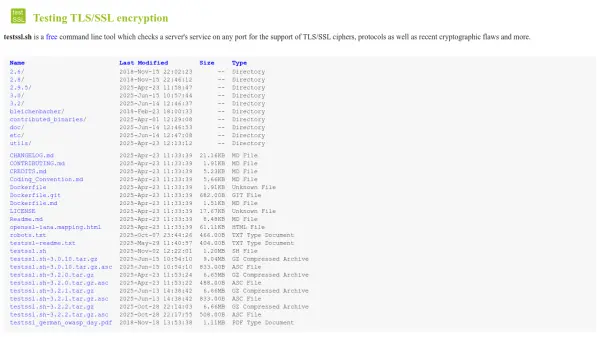
testssl.sh is a comprehensive command-line utility designed to assess the security of TLS/SSL encryption on servers. It operates by connecting to any specified port and evaluating the server's support for various ciphers, protocols, and cryptographic configurations. The tool identifies potential vulnerabilities and provides detailed output regarding the server's encryption capabilities.
This tool is highly portable, functioning on multiple operating systems including Linux, Mac OS X, FreeBSD, NetBSD, and MSYS2/Cygwin environments. It offers extensive testing options, including checks for specific vulnerabilities such as Heartbleed, POODLE, and ROBOT, along with support for STARTTLS protocols. Users can customize scans with various command-line options to suit their testing needs, and results can be output in multiple formats including JSON, CSV, and HTML for further analysis.
Features
- Clear Output: Easily distinguishes between secure and insecure configurations with color-coded results
- Ease of Installation: Works out-of-the-box on Linux, Mac OSX, FreeBSD, NetBSD, and WSL/MSYS2/Cygwin without additional dependencies
- Flexibility: Tests any SSL/TLS enabled service and STARTTLS protocols on any port, not limited to web servers
- Toolbox: Multiple command-line options for configuring tests and output formats
- Reliability: Thoroughly tested features ensure accurate and consistent results
- Verbosity: Provides warnings when checks cannot be performed due to client-side limitations
- Privacy: All results are local, with no third-party data sharing
- Freedom: 100% open-source software under GPLv2 license, allowing code review and modifications
- Documentation: Comprehensive documentation available in HTML, markdown, and groff formats
Use Cases
- Security auditing of web servers for TLS/SSL compliance
- Testing email servers (SMTP, IMAP, POP3) with STARTTLS protocols
- Assessing database servers (MySQL, PostgreSQL) for encryption vulnerabilities
- Checking network devices and load balancers for cryptographic flaws
- Batch scanning multiple servers for security assessments
- Educational purposes for learning about TLS/SSL configurations and vulnerabilities
- Compliance testing for industry security standards
FAQs
-
What operating systems does testssl.sh support?
testssl.sh is compatible with Linux, Mac OS X, FreeBSD, NetBSD, and WSL/MSYS2/Cygwin environments, requiring no additional installations for basic functionality. -
Can testssl.sh test services other than web servers?
Yes, it can test any SSL/TLS enabled service and STARTTLS protocols such as FTP, SMTP, IMAP, XMPP, and database servers on any port. -
What output formats does testssl.sh support?
The tool supports multiple output formats including plain text, JSON (flat and pretty), CSV, and HTML for logging and analysis purposes. -
Is testssl.sh suitable for batch scanning multiple servers?
Yes, it includes mass testing options with file input for serial or parallel scanning of multiple servers, supporting command lines per line in a file.


