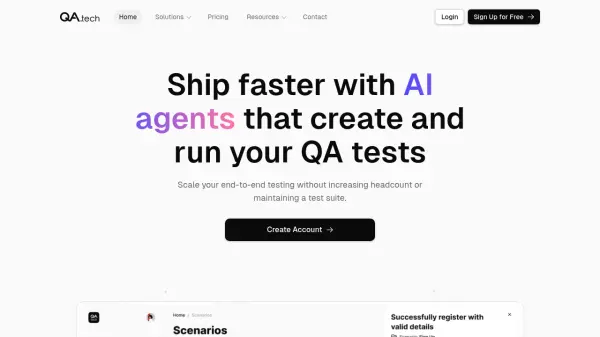
What is Testr?
Testr is an AI-powered testing platform designed to streamline quality assurance processes for web applications. It enables users to describe test scenarios in plain English, eliminating the need for manual test scripts or complex DOM manipulation. The platform uses AI vision to analyze screenshots and execute precise actions through Puppeteer automation, simulating real user interactions with visual layouts and context.
The tool handles real-world challenges such as iframes, cookie banners, modals, and dynamic layouts, adapting automatically to layout changes without maintenance. It provides detailed results including full recordings, step-by-step screenshots, GIFs, and pass/fail reports, ensuring clear visibility into test executions. Testr also offers integration capabilities via MCP API for developers and AI agents, allowing testing workflows in IDEs like Cursor and VS Code.
Features
- AI Vision Analysis: Uses AI to analyze screenshots and perform precise actions with Puppeteer automation
- Plain English Scenarios: Allows users to describe test steps in plain English, with each line becoming an automated action or verification
- Comprehensive Results: Provides detailed reports with screenshots, GIFs, and shareable summaries of test executions
- Real-World Site Handling: Handles iframes, cookie banners, modals, and dynamic layouts that most tools fail at
- MCP API Integration: Integrates testing into IDEs (Cursor, VS Code) or AI agent workflows for triggering tests and getting results
- No Setup Required: Adapts to layout changes automatically with no flaky scripts or brittle selectors, running in the cloud
Use Cases
- Automating smoke tests before deployment to ensure site functionality
- Testing newsletter signup processes with AI navigation and form filling
- Verifying comment systems on blogs by adding test data and confirming submissions
- Checking navigation links to ensure pages load successfully
- Executing pre-launch checklists for web applications
- Integrating testing into development workflows via API for continuous quality assurance
FAQs
-
What types of web elements can Testr handle during testing?
Testr handles real-world elements such as iframes, cookie banners, modals, and dynamic layouts, adapting automatically to layout changes. -
Can Testr integrate with development environments?
Yes, Testr offers MCP API integration for IDEs like Cursor and VS Code, allowing developers to trigger tests and get results without using the UI. -
Does Testr require any setup or maintenance?
No, Testr requires no setup or maintenance, as it adapts to layout changes automatically and runs in the cloud with no flaky scripts or brittle selectors. -
What results are provided after a test execution?
Testr provides comprehensive results including full recordings, step-by-step screenshots, GIFs, and pass/fail reports with shareable summaries. -
How does Testr simulate user interactions?
Testr uses AI vision to analyze screenshots and understand visual layout and context, performing precise actions with Puppeteer automation to click and interact like a real user.
Related Queries
Helpful for people in the following professions
Testr Uptime Monitor
Average Uptime
100%
Average Response Time
674.37 ms