
What is TaskFrame?
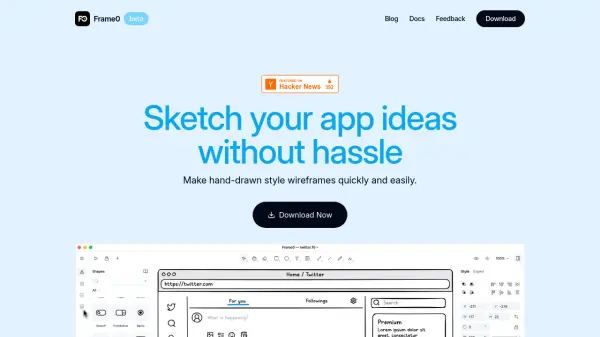
TaskFrame is a collaborative platform designed to bridge the gap between design and development workflows. It allows users to create wireframes using a drag-and-drop interface with over 30 ready elements and templates, requiring no design skills. The core functionality enables right-clicking any wireframe element to instantly create a task that auto-fills with visual context, ensuring developers know exactly what to build.
The platform features living wireframes where progress is tracked visually through color-coded borders showing task status, with real-time collaboration tools like live cursors and instant updates. It eliminates context loss by keeping tasks permanently connected to visual elements, replacing the need for multiple tools like Figma and Jira with a single integrated workflow.
Features
- Wireframe-to-Task Magic: Right-click any wireframe element to instantly create tasks with visual context preserved
- Living Wireframes: Color-coded borders show task status on wireframes with hover details and click management
- Real-time Collaboration: Live cursors and instant updates keep team members synchronized without refresh requirements
- Zero Context Loss: Tasks remain permanently connected to visual elements so developers always see exact requirements
- No Technical Skills Required: Drag-and-drop interface with 30+ ready elements and templates for easy wireframe creation
- Complete Workflow Integration: Replaces multiple tools by combining design, planning, tracking, and delivery in one platform
Use Cases
- Product managers communicating requirements visually without lengthy specifications
- Development teams building features with clear visual context and reduced clarification meetings
- Cross-functional teams collaborating on projects with real-time progress tracking
- Small businesses streamlining design-to-development workflows without multiple tools
- Non-designers creating professional wireframes for project planning and communication
FAQs
-
How does TaskFrame handle task assignments and notifications?
Tasks created from wireframe elements can be assigned to team members with automatic notifications and updates visible in real-time on the visual interface. -
Can TaskFrame integrate with existing project management tools?
While TaskFrame replaces the need for multiple tools, enterprise plans offer custom integrations for organizations with specific workflow requirements. -
What file formats can be exported from TaskFrame?
Wireframes and projects can be exported to PNG and PDF formats for sharing and documentation purposes. -
How does TaskFrame ensure data security for team projects?
Enterprise plans include SSO, advanced security features, and on-premise deployment options for organizations with strict security requirements. -
What happens to existing tasks if wireframe elements are modified?
Tasks remain connected to their original wireframe elements, and modifications are tracked to maintain context throughout the development process.