

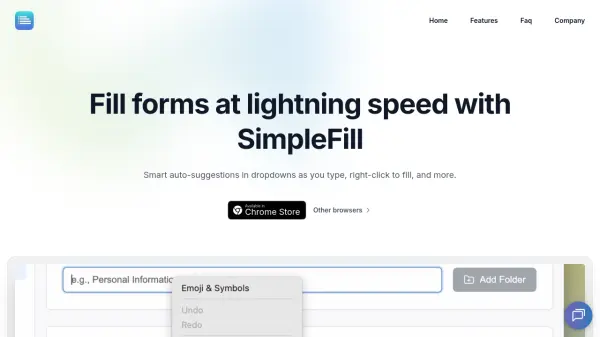

What is SimpleFill?
SimpleFill is a browser extension designed to streamline the process of filling out online forms by providing smart auto-suggestions as users type. It integrates seamlessly with input fields, offering intelligent suggestions that match the user's typing patterns, which improves accuracy and speed. The tool supports both single-line and multi-line text fields, including large paragraphs with emojis and special characters, making it versatile for various form types.
Users can manage their form data through an intuitive interface, organizing entries into folders and reordering items via drag-and-drop. Data is stored locally in the browser, ensuring privacy without server uploads, and can be imported or exported as JSON files for cross-browser compatibility. The extension also features a right-click context menu for instant access to saved data, enhancing convenience and reducing manual typing efforts.
Features
- Auto-suggestions in dropdowns: Intelligent suggestions appear as users type, matching input patterns for faster and more accurate form filling
- Right-click to fill: Access saved data instantly via right-click context menu to automatically fill input fields
- Powerful form data management: Intuitive interface for adding, editing, deleting, and organizing saved entries into folders
- Import and export form data: Export data as JSON files and import into different browsers for cross-compatibility
- Multi-line text support: Works with large paragraphs, emails, and messages, including emojis and special characters
Use Cases
- Filling out online registration forms quickly
- Automating repetitive data entry for e-commerce checkouts
- Managing contact information for job applications
- Streamlining form submissions on government websites
- Handling multi-line text inputs like email compositions
FAQs
-
How does SimpleFill compare to browser autofill?
SimpleFill offers more accurate suggestions, works with multi-line text fields, allows editing of saved data, and provides right-click filling, unlike default browser autofill which is often inaccurate and limited. -
What permissions does SimpleFill require?
It needs permission to read and change data on visited websites to access and fill input fields, but it does not read or store browsing activity data. -
Where is user data stored with SimpleFill?
All data is stored locally in the browser and not uploaded to servers, with optional sync across devices via browser settings. -
What browsers support SimpleFill?
It is available for Chrome and other browsers, with Safari users able to purchase through the Mac App Store.
Related Queries
Helpful for people in the following professions
SimpleFill Uptime Monitor
Average Uptime
100%
Average Response Time
158.87 ms


