What is Publisheet?
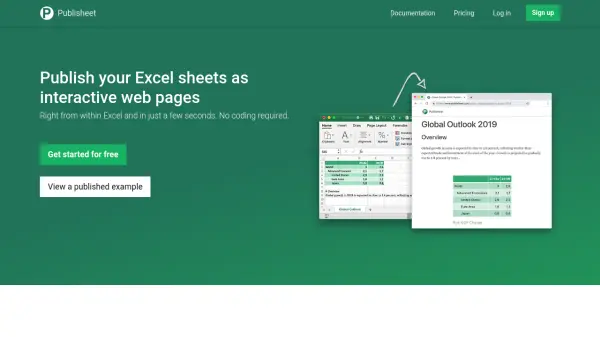
Publisheet enables users to convert Excel spreadsheets into interactive web pages directly from within Excel or Excel Online. The tool operates as an add-in for Excel 2016 or later versions, requiring no coding skills. Users can publish entire spreadsheets or create custom reports by selecting specific parts, resulting in beautiful, web-based applications accessible via public URLs.
The platform supports formulas and offers optional password protection for enhanced security. It provides a seamless experience with embedded branding on free plans and removes branding on paid subscriptions. Publisheet focuses on simplicity, allowing users to publish with just a title input, making it ideal for sharing data interactively.
Features
- Excel Integration: Works as an add-in for Excel 2016+ and Excel Online
- Instant Publishing: Converts spreadsheets to web pages in seconds with no coding
- Interactive Web Pages: Creates beautiful, interactive web-based applications with formula support
- Custom Reports: Enables publishing whole sheets or selected parts for tailored reports
- Security Options: Offers password protection for web pages on paid plans
- Public URLs: Generates shareable public URLs for easy access and distribution
Use Cases
- Sharing financial reports as interactive web pages with stakeholders
- Publishing sales data dashboards for team collaboration
- Creating interactive educational worksheets for students
- Distributing project timelines or schedules online
- Building custom data visualizations for client presentations
FAQs
-
How do I install the Publisheet add-in in Excel?
In Excel, go to Insert > Get Add-ins, search for Publisheet, and click the Add button to install the add-in. -
Can I publish only specific parts of my Excel sheet?
Yes, Publisheet allows you to create custom reports by choosing which parts of your spreadsheet to publish, not just the entire sheet. -
What happens to my published web pages if I cancel my subscription?
Password-protected web pages become unavailable if you cancel a paid subscription, but you can republish them without a password on the Free plan.