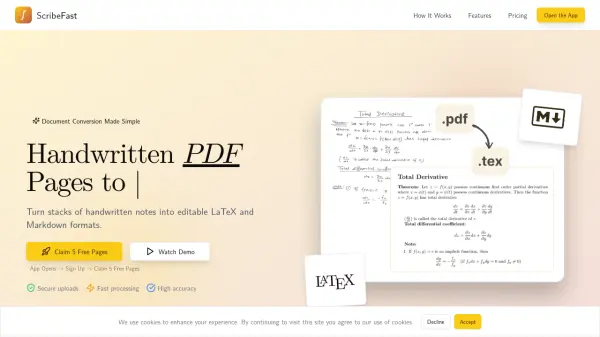
What is pdftolatex.app?
PDF to LaTeX is a purpose-built AI tool designed specifically for converting PDF documents into LaTeX format. Unlike general-purpose AI models, it utilizes a specialized conversion engine that ensures unmatched accuracy in handling complex elements such as images, tables, and mathematical formulas. The tool automatically extracts and converts all images from PDFs into proper LaTeX format and precisely recognizes even complex tables, including those embedded as images.
With access to over 700 professionally designed LaTeX templates, users can easily customize their documents. The tool provides an instant Overleaf link for seamless editing, making it ideal for academic, research, and professional publications. It delivers consistent, publication-ready results with a 99% satisfaction rate, outperforming general AI tools in reliability and specialized features.
Features
- Specialized Conversion Engine: Built specifically for PDF-to-LaTeX conversion with high accuracy
- 700+ Professional Templates: Access hundreds of specialized LaTeX templates for various document types
- Complete Image Handling: Automatically extracts and converts all images from PDFs into LaTeX format
- Table Recognition: Precisely converts complex tables, including those embedded as images, into clean LaTeX code
- Formula Accuracy: Specialized recognition engine for mathematical and chemical formulas with exact notation preservation
Use Cases
- Converting academic papers from PDF to LaTeX for journal submissions
- Transforming research documents with complex tables and formulas into LaTeX format
- Creating professional reports or theses using specialized LaTeX templates
- Automating image extraction and conversion in technical documents for LaTeX editing
FAQs
-
How does PDF to LaTeX compare to general AI tools like ChatGPT?
PDF to LaTeX is purpose-built for LaTeX conversion with specialized features like image extraction, table recognition, and formula accuracy, offering higher reliability and consistency compared to general AI tools. -
What types of documents can I convert with this tool?
You can convert any PDF document, including academic papers, research documents, reports, and theses, especially those with complex elements like images, tables, and formulas. -
How do I edit the converted LaTeX files?
After conversion, you receive an instant Overleaf link, allowing you to edit the LaTeX files directly in the Overleaf editor for seamless customization. -
Are there any free options available?
The tool operates on a credit-based system; users purchase credits for conversions, as detailed on the Credits & Pricing page, with no mention of a free tier.