

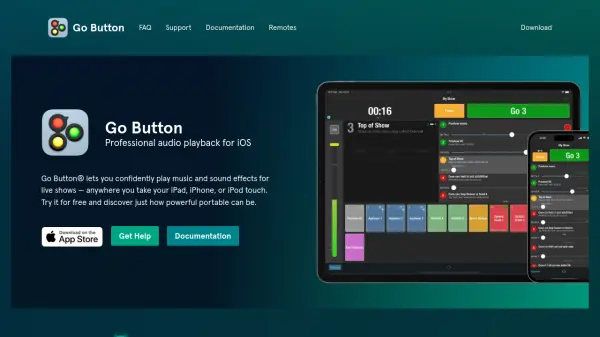

What is Go Button?
Go Button is a professional audio playback application designed for iOS devices, including iPad, iPhone, and iPod touch. It provides users with the ability to play music and sound effects for live performances in a consistent and foolproof manner, offering portable and untethered operation. The app supports features such as playlist building, remote triggering via Bluetooth or MIDI, and non-destructive editing for last-minute adjustments.
Built on core iOS technologies, Go Button ensures ultra-efficient and low-latency playback, supporting a wide range of audio formats like WAV, AIFF, M4A, AAC, MP3, MOV, 3GP, CAF, and FLAC. It includes customization options for volume, pan, speed, and pitch per cue, along with security features like passcode locking for shows. The app is developed by Figure 53, a company based in Baltimore, Maryland, USA, which also creates other show control software like QLab.
Features
- Play Multiple Sounds: Play multiple sounds simultaneously for complex audio setups.
- Playlist Sequencing: Play a list of sounds in sequence by tapping the 'GO' button.
- Ad-libbed Sounds: Use always-ready 'Hit' buttons for ad-libbed sound effects.
- Audio Controls: Auto-stop, fade in, fade out, loop, duck, and more for precise playback.
- Cue Customization: Adjust volume, pan, speed, and pitch independently for every cue.
- Import and Share: Import audio files and share shows via AirDrop or the iOS Files app.
- Remote Control: Control playback with Bluetooth, MIDI, or OSC API for integration with tools like QLab.
- Security Features: Passcode lock shows to prevent unauthorized edits.
- Format Support: Supports DRM-free WAV, AIFF, M4A, AAC, MP3, MOV, 3GP, CAF, and FLAC.
- Efficient Playback: Ultra-efficient and low latency playback built on core iOS technologies.
Use Cases
- Live theater performances with sound effects and music cues.
- Music concerts requiring portable audio playback on iOS devices.
- Corporate events needing reliable sound playback for presentations.
- Educational settings like school plays or drama classes.
- Podcast recordings with live sound integration.
- Fitness classes using music and audio cues.
- Art installations requiring synchronized audio playback.
- Remote productions with wireless control via Bluetooth or MIDI.
FAQs
-
What iOS versions are supported by Go Button?
Go Button requires iOS 15 or later. -
Can I control Go Button remotely?
Yes, Go Button can be controlled wirelessly with any iOS-compatible remote control, Bluetooth keyboard, or via OSC API for integration with tools like QLab. -
How do I import audio files into Go Button?
You can batch import audio files using AirDrop, copy from apps like Mail and Messages, or drag and drop folders from services like iCloud Drive or Dropbox in iPad Split View. -
What audio formats does Go Button support?
Go Button supports DRM-free WAV, AIFF, M4A, AAC, MP3, MOV, 3GP, CAF, and FLAC formats. -
Is there a way to secure my shows in Go Button?
Yes, you can passcode lock your shows to prevent unauthorized edits.
Related Queries
Helpful for people in the following professions
Go Button Uptime Monitor
Average Uptime
100%
Average Response Time
120.17 ms


