What is FormSubmit?
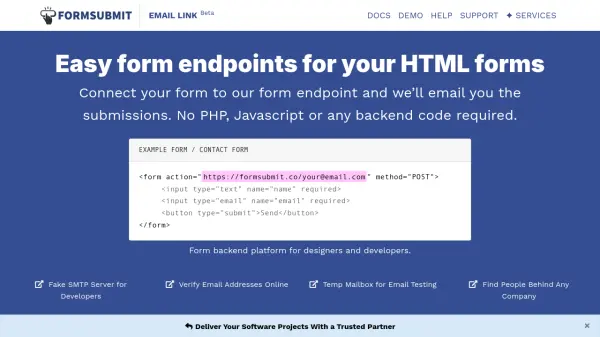
FormSubmit provides a straightforward solution for handling HTML form submissions by connecting forms to its endpoint, which emails submissions directly to users. The platform eliminates the need for backend coding, making it accessible for designers and developers. It supports various advanced features like custom reply-to addresses, redirect URLs, and spam filtering through specialized form attributes.
With over 2 million submissions processed, FormSubmit offers reliability and ease of use, including options for email templates, webhooks, and autoresponses. It requires no registration and includes interactive tools for testing and customization, ensuring seamless integration into websites.
Features
- Form Endpoint: Connects HTML forms to email submissions without backend code
- Advanced Attributes: Supports custom reply-to, redirects, subjects, CC, and spam filtering
- No Registration Required: Easy setup with confirmation via email
- Interactive Playground: Allows testing and customization of forms
- Webhook Integration: Triggers real-time data manipulation on submissions
Use Cases
- Collecting contact form submissions on websites
- Handling feedback or survey responses via email
- Managing form data without backend development
- Testing form functionality with temporary email addresses
- Integrating form submissions with other services via webhooks
FAQs
-
How do I set up FormSubmit for my HTML form?
Point the action attribute of your form to the FormSubmit URL with your email, include name attributes in all form elements, and submit once to confirm via email. -
Can I customize the email subject for form submissions?
Yes, use the _subject attribute in your form to set a custom subject line for the email. -
Does FormSubmit support spam filtering?
Yes, you can use the _blacklist attribute to filter out submissions containing specified phrases. -
Is there a way to redirect users after form submission?
Yes, use the _next attribute to specify a custom URL for the thank-you page after submission. -
Can I send autoresponses to users who submit forms?
Yes, use the _autoresponse attribute with a custom message, provided the form includes an email field and reCAPTCHA is enabled.