

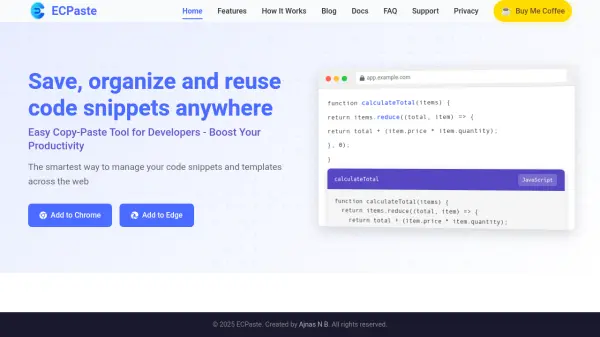
What is ECPaste?
ECPaste provides a streamlined solution for managing code snippets and templates through a browser extension. Users can save any text or code from webpages using keyboard shortcuts or right-click options, then organize these snippets into categories like Code, Text, and AI Prompts. The tool enables quick insertion of stored content by typing ### followed by the snippet name in any text field or editor.
All snippets are securely stored with encryption and synchronized across devices via cloud storage. This eliminates repetitive typing and ensures consistent access to frequently used content, enhancing productivity for various professional tasks.
Features
- Quick Save: Save any code or text with keyboard shortcut (Alt+S) or right-click menu
- Organized Categories: Sort snippets with categories like Code, Text, and AI Prompts
- Instant Access: Type ### followed by snippet name to insert content anywhere
- Cloud Sync: Access snippets across all devices with secure cloud synchronization
- Keyboard Friendly: Navigate and insert snippets without using a mouse
- Secure Storage: Snippets stored with encryption and protected access
Use Cases
- Save code snippets, boilerplate templates, and reusable functions for development work
- Organize and reuse effective AI prompts for consistent results in AI content creation
- Save response templates and quickly insert them in emails and chats for customer support
- Store frequently used phrases, citations, and formatting templates for writing tasks
FAQs
-
How do I save a snippet using ECPaste?
Select any text on a webpage, right-click, and choose 'Save as Snippet' to store it for future use. -
Can I access my snippets on multiple devices?
Yes, ECPaste offers cloud synchronization to access your snippets across all your devices securely. -
How do I quickly insert a saved snippet?
Type ### followed by your snippet name to insert it quickly in any text field or editor. -
Is my data secure with ECPaste?
All snippets are securely stored with encryption and protected access to ensure data safety.


