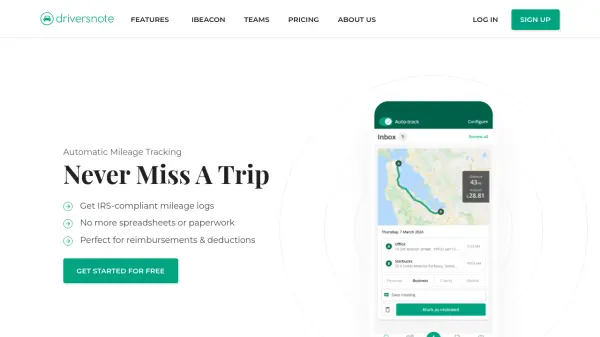


What is Driversnote?
Driversnote is an automated mileage tracking solution designed to simplify trip logging for individuals and businesses. The app utilizes motion detection technology on smartphones to automatically record journeys, eliminating the need for manual spreadsheets or paperwork. It offers intelligent classification features that allow users to easily categorize trips, add notes, and review their mileage data with quick edits.
The platform generates detailed, IRS-compliant mileage reports with a single click, making it ideal for tax deductions and reimbursements. With optional iBeacon integration, tracking accuracy is enhanced by ensuring only vehicle trips are recorded while conserving phone battery. Available on iOS, Android, and web, Driversnote supports both individual users and teams with scalable pricing plans.
Features
- Automatic Trip Logging: Uses phone motion detection to automatically record trips without manual input
- Intelligent Classification: Allows easy categorization, review, and note addition to trips with quick edits
- Instant Mileage Reports: Generates detailed, tax-compliant reports with one click for deductions or reimbursements
- iBeacon Integration: Enhances accuracy by tracking only vehicle trips and reducing phone battery usage
- Team Management: Provides web tools for report collection, validation, and administration for multiple users
Use Cases
- Tracking business mileage for tax deductions
- Managing employee mileage reimbursements for companies
- Simplifying mileage logging for self-employed professionals
- Automating trip recording for gig economy drivers
- Creating IRS-compliant mileage logs for accounting purposes
FAQs
-
How does the automatic tracking work?
The app uses your phone's motion detection to automatically log trips when you're driving, eliminating manual entry. -
What is the difference between the Free and Pro plans?
The Free plan allows reporting of up to 15 trips per month, while Pro offers unlimited trips and includes free iBeacon with annual subscription. -
Can I use Driversnote for multiple vehicles?
Yes, you can track multiple vehicles, and we recommend one iBeacon per vehicle for optimal automatic tracking. -
How does Driversnote protect my privacy?
The app only records location during trips, doesn't share personal data, and allows privacy settings like tracking schedules to exclude private drives. -
What formats are available for exporting reports?
You can export reports as customizable PDF and Excel files for easy integration with accounting systems.
Related Queries
Helpful for people in the following professions
Driversnote Uptime Monitor
Average Uptime
100%
Average Response Time
698.37 ms