

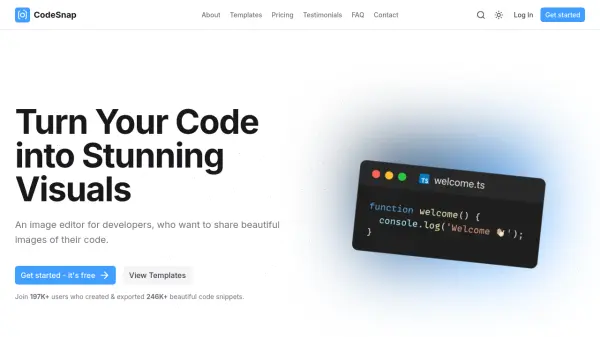
What is CodeSnap?
CodeSnap is a specialized image editor designed for developers who need to create visually appealing representations of their code snippets. This tool allows users to transform raw code into stunning images that can be easily shared across various platforms. The platform provides a powerful editor with multiple customization options to enhance code presentation.
Users can annotate their code images with arrows, emojis, rich-text, and developer icons to highlight specific features. The tool supports line highlighting with various marking options and allows for multiple code windows to showcase differences. CodeSnap also enables branding consistency through customizable watermarks and offers IDE extensions for Visual Studio Code and IntelliJ for direct snippet creation from development environments.
Features
- Code Annotation: Add arrows, emojis, rich-text, and developer icons to highlight features
- Social Credibility Integration: Embed LinkedIn, GitHub, Twitter, and Instagram profiles directly in snippets
- Snippet Management: Organize content through tagging with rename, duplicate, and delete functionality
- Line Highlighting: Mark lines as added, removed, darkened, grayed-out, or blurred
- Multiple Code Windows: Add and arrange multiple code windows via drag & drop for visual comparison
- Branding Customization: Create, upload, and save consistent watermarks for brand consistency
- IDE Extensions: Use Visual Studio Code and IntelliJ extensions for direct snippet creation
Use Cases
- Creating shareable code images for social media posts
- Documenting code changes with visual comparisons
- Adding professional branding to code presentations
- Highlighting specific code sections in tutorials
- Embedding social profiles in code documentation
- Organizing code snippets with tags for reference
FAQs
-
How many snippets can I create as a free user?
Free users without an account can create and use 1 code snippet stored in browser's Local Storage. After logging in, free users can create up to 50 snippets stored on servers. -
Can I cancel my Pro subscription?
Yes, you can cancel your Pro subscription at any time with no questions asked. -
What happens to my snippets if I cancel?
The content does not specify what happens to snippets upon cancellation, but users can manage snippets through tagging, renaming, duplicating, or deleting them. -
Are there any limitations on annotation elements?
Free users have limitations on custom media elements (1 per snippet) while Pro and Lifetime plans offer unlimited custom media elements along with unlimited code editor, text, form, and library media elements.
Helpful for people in the following professions
CodeSnap Uptime Monitor
Average Uptime
100%
Average Response Time
238.25 ms


