What is CodeKnack?
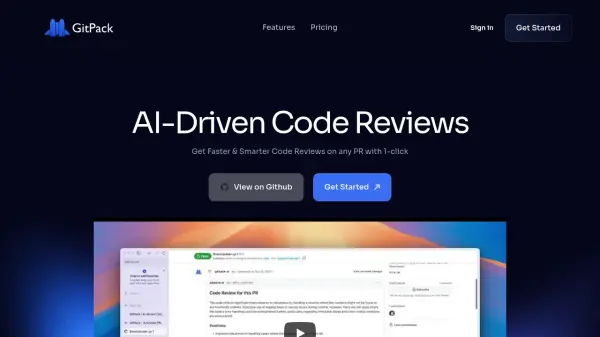
CodeKnack provides instant, contextual code reviews that highlight bugs, code smells, security gaps, and architectural flaws in pull requests. It integrates directly with GitHub repositories to analyze code changes automatically, generating readable summaries and actionable feedback without storing code or using it for AI training.
The tool supports customization to organizational guidelines through existing lint files and natural language rules, with review modes ranging from relaxed to strict. It includes features like software composition analysis for vulnerabilities, detection of hardcoded secrets, and performance bottleneck identification, all while maintaining end-to-end encryption and data privacy.
Features
- Instant Code Reviews: Provides immediate, contextual analysis of pull requests for bugs, security gaps, and code smells
- High-Level PR Summary: Generates readable summaries of pull requests including key changes and architectural impact
- Code Security: Flags vulnerabilities, outdated packages, hardcoded secrets, and data leak issues
- Pull Request Feedback: Offers actionable comments on duplicate code, performance bottlenecks, and formatting inconsistencies
- Customization: Allows use of existing lint files and natural language rules to apply organizational coding styles
- Review Modes: Offers relaxed mode for high-impact issues and strict mode for exhaustive reviews
- GitHub Integration: Easily connects to GitHub repositories without additional tools or manual setup
- Privacy Protection: Operates without storing code or using it for AI training, with end-to-end encryption
Use Cases
- Automating code quality checks in software development workflows
- Identifying security vulnerabilities and outdated dependencies in pull requests
- Generating summaries of code changes for team review and documentation
- Enforcing organizational coding standards and style guidelines
- Detecting performance bottlenecks and code duplication in new code
- Reviewing code generated by AI coding assistants and codegen tools
- Maintaining code reliability in high-volume development environments
- Providing instant feedback to developers during the pull request process
FAQs
-
What happens after the 14-day trial ends?
Once the trial ends, you'll be prompted to review your active users and confirm billing details to continue uninterrupted service. -
Will I be charged for all the developers in my organization?
No, you can purchase any number of seats and manually assign them to specific developers. Only the PRs of these assigned developers will be reviewed by CodeKnack. -
Can I reassign seats to other developers?
Yes, seats can be reassigned at any time. You have full flexibility to manage your team and move seats between developers as needed. -
Can I add or remove users?
Yes. GitHub/GitLab Organization owners have admin access to add or remove users, or enable/disable reviews for specific users at any time. -
Is it possible to cancel the subscription?
Yes. You can cancel, increase, or decrease seats at any time. If you cancel, your plan remains active until the end of the billing cycle. Note: refunds are not offered.
Related Queries
Helpful for people in the following professions
CodeKnack Uptime Monitor
Average Uptime
100%
Average Response Time
139.37 ms