

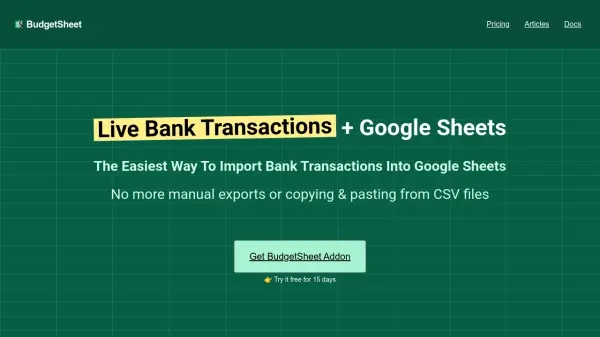
What is BudgetSheet?
BudgetSheet is a Google Sheets addon that automates the import of bank transactions from checking accounts, savings accounts, credit cards, investment accounts, loans, and mortgages. It connects securely to financial institutions using Plaid, ensuring that transaction data is fetched nightly and updated directly in spreadsheets without manual exports or CSV file handling.
The tool provides live account balances and supports investment tracking, allowing users to build custom dashboards, charts, and budgets using their own formulas and templates. BudgetSheet emphasizes security by not storing bank logins or transactions in its database, relying instead on encrypted access tokens and compliant AWS services.
Features
- Transaction Imports: Automatically import bank transactions from all connected accounts directly into Google Sheets, with nightly updates to ensure the latest data.
- Balance Tracking: View live account balances for checking, savings, credit cards, and other accounts within the spreadsheet for custom dashboards and charts.
- Investment Tracking: Import holdings, balances, and transactions from brokerage accounts to track investments alongside everyday spending.
- Budgeting Your Way: Use any formula, pivot table, or chart in Google Sheets to create personalized budgets without rigid templates.
- Security: Utilizes Plaid for secure bank connections, with encrypted access tokens and no storage of bank logins or transaction data.
Use Cases
- Automating bank transaction imports into Google Sheets for budgeting
- Creating custom financial dashboards and charts with live account data
- Tracking investments and net worth alongside daily expenses
- Building personalized budget templates without manual data entry
- Monitoring multiple bank accounts and credit cards in a single spreadsheet
FAQs
-
How does BudgetSheet ensure the security of my bank data?
BudgetSheet uses Plaid for secure bank connections, encrypts access tokens at rest, and does not store bank logins or transaction data, relying on compliant AWS services. -
What types of financial accounts does BudgetSheet support?
It supports checking accounts, savings accounts, credit cards, investment accounts, loans, mortgages, and more from over 10,000 financial institutions. -
Can I customize my budget with BudgetSheet?
Yes, BudgetSheet allows full customization using any formula, pivot table, or chart in Google Sheets, without forcing rigid templates. -
How often are bank transactions updated in Google Sheets?
Transactions are fetched nightly, ensuring that your spreadsheet always has the latest data without manual intervention. -
What happens after the 15-day free trial ends?
After the trial, BudgetSheet starts at $59 per year, and users can upgrade to a paid plan through the addon menu.
Related Queries
Helpful for people in the following professions
BudgetSheet Uptime Monitor
Average Uptime
100%
Average Response Time
195.96 ms


