

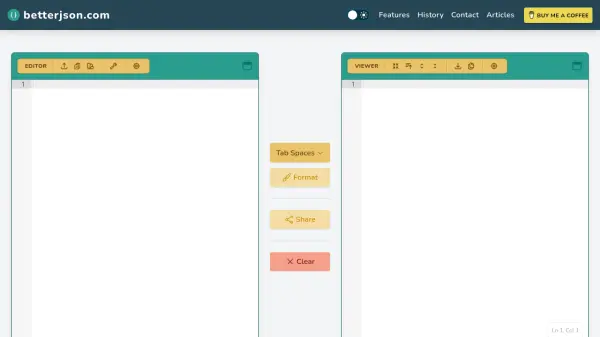
What is betterjson.com?
Betterjson.com provides a comprehensive suite of JSON processing tools that operate entirely client-side, ensuring data privacy and security. The platform allows users to upload, validate, format, repair, and filter JSON data through an intuitive interface with features like dark mode, fullscreen editing, and multiple export options.
The standout feature is natural language filtering powered by artificial intelligence, which interprets user statements like "Return all books that are greater than $10" and converts them into valid JSONPath expressions. This AI functionality requires sending parts of the JSON data to generative AI models, making it unsuitable for sensitive information but extremely useful for general JSON manipulation tasks.
Features
- Natural Language Filtering: Converts plain English statements to JSONPath expressions using AI
- Client-side Processing: All JSON handling occurs locally in the browser for privacy
- JSON Repair: Fixes common JSON issues like missing quotes and improper formatting
- Multiple Export Formats: Download JSON as JSON, XML, YAML, or CSV files
- Shareable Links: Generate persistent URLs to share formatted JSON with others
Use Cases
- Filtering JSON data using natural language queries
- Validating and formatting JSON configuration files
- Repairing malformed JSON data from various sources
- Converting JSON data to other formats like XML or CSV
- Sharing formatted JSON data with team members
FAQs
-
How does the natural language filtering feature work?
The natural language filtering uses AI to interpret plain English statements and convert them into valid JSONPath expressions for filtering JSON data. -
Is my JSON data sent to external servers?
All JSON processing occurs client-side in your browser, except for natural language filtering which sends parts of your JSON to AI models. -
What file formats can I export my JSON to?
You can export JSON data to JSON, XML, YAML, and CSV formats.


