What is Annotify?
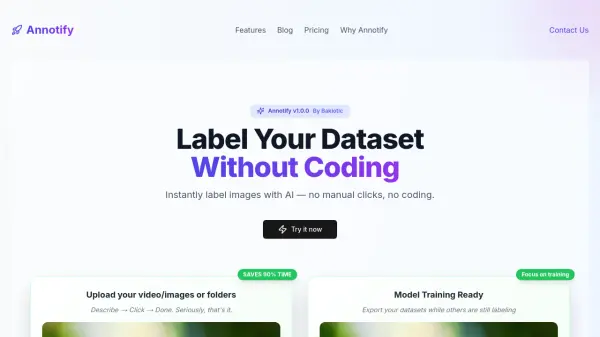
Annotify provides an automated solution for labeling datasets through AI-powered annotation. Users can upload images, videos, or folders and describe detection targets in plain English, with the tool generating accurate annotations without requiring manual clicks or coding. The platform leverages state-of-the-art zero-shot detection models and GPU acceleration for fast processing, supporting various file formats and exporting annotations in multiple standard formats.
This tool operates on a usage-based pricing model where users pay per image processed, with no account required to start. It emphasizes data privacy by not storing or selling uploaded datasets, making it suitable for projects that require quick, efficient, and secure annotation workflows.
Features
- Zero-Shot Auto Annotation: Describe detection targets in plain English for automatic labeling without training
- GPU-Powered Annotation: Leverages Runpod GPUs for lightning-fast processing and real-time results
- Supports Video & Images: Processes multiple formats including JPG, PNG, WEBP, MP4, MOV, and AVI
- Export All Formats: Exports annotations in COCO JSON, Pascal VOC, YOLO, csv, and custom formats
- No Account Needed: Allows users to start projects immediately without setting up an account
Use Cases
- Automating image annotation for machine learning training datasets
- Labeling video frames for object detection projects
- Preparing datasets for computer vision research without manual effort
- Accelerating data preparation for AI model development
- Processing large volumes of images or videos with consistent annotations
FAQs
-
What file formats does Annotify support for upload?
Annotify supports multiple formats including JPG, PNG, WEBP, MP4, MOV, and AVI for images and videos. -
How does Annotify ensure data privacy?
Annotify does not store or sell uploaded datasets; images are processed on GPUs and deleted from the cloud after inference. -
What models does Annotify use for annotation?
Annotify uses Grounding DINO v1 for zero-shot detection, with plans to upgrade to Grounding DINO v1.5 in future versions. -
Is an account required to use Annotify?
No, Annotify does not require an account, allowing users to start projects directly without setup. -
How does pricing work for Annotify?
Annotify uses a usage-based pricing model where users pay per image processed, with rates decreasing for higher volumes.