# MailerLite
You must verify your Mailerlite email lists so that you can maintain and improve your email deliverability. This Clearout integration of **email verification with Mailerlite helps ensure that invalid and fake email addresses** are filtered out from your list before you hit send. Securely import/export data between the two platforms using the email validation integration.
{% stepper %}
{% step %}
### Connect account
After logging in to your Clearout account, go to the **Integration page** and select **MailerLite**.
Click on "**Add Account**" to add your MailerLite account. A pop-up will be displayed asking for the **API Key and Account Name**. You can find these details in your MailerLite account in
“Account Integration **→** Developer API **→** API Key“.
Once you feed in the Key details in Clearout, click on the "**Add Account**" button.
{% endstep %}
{% step %}
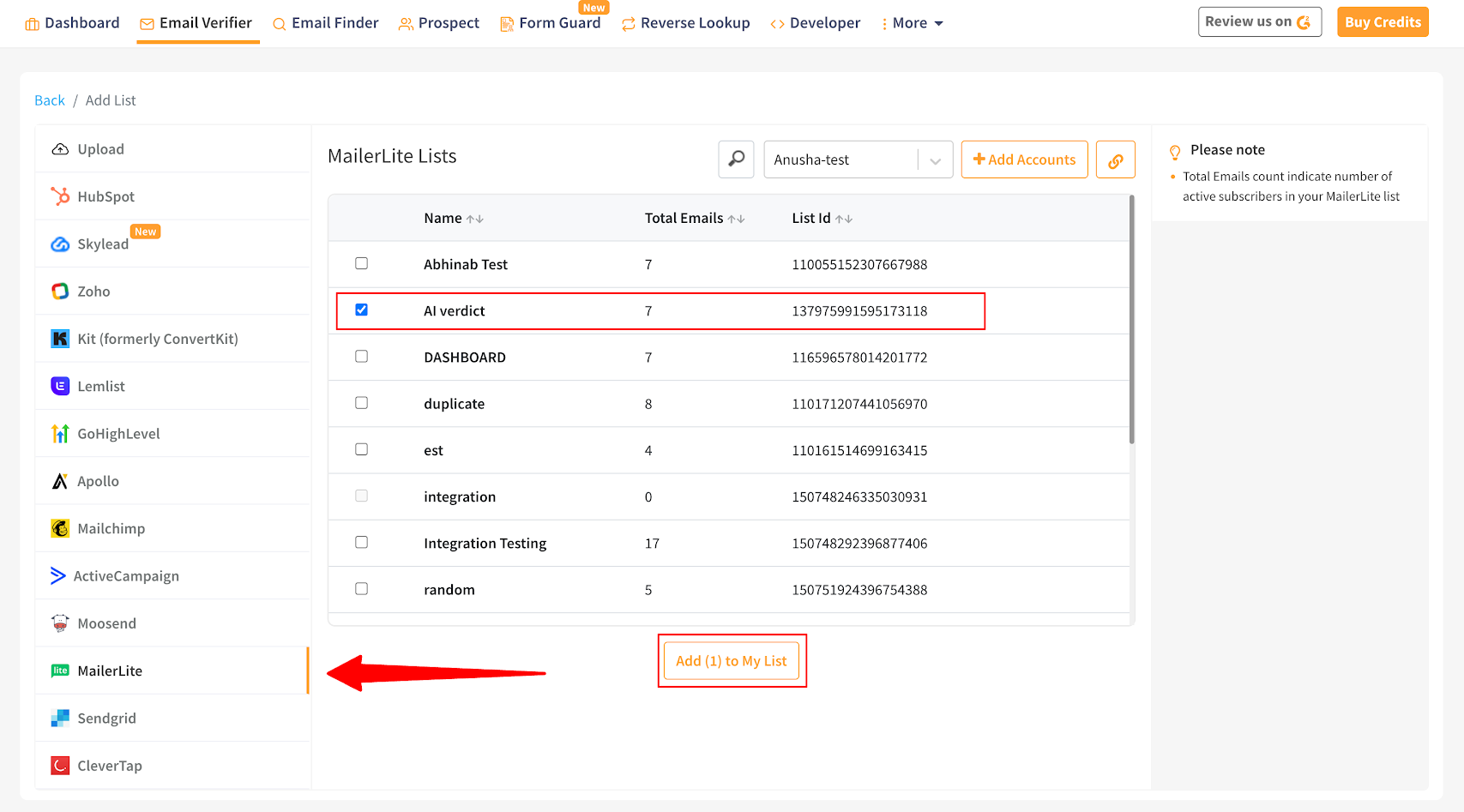
### Add the email lists
Keep the email address lists clean by easily adding them from the MailerLite account.\
\
Once you've successfully logged in, **select the list(s)** you want to verify from the associated MailerLite account.
{% endstep %}
{% step %}
### Verify the email address list
Once the mailing list is successfully added, click on the "**Verify**" button to start validating the added mailing list.
{% endstep %}
{% step %}
### Export the verified results
Once the email validation is complete, the user can either **download the result** (in .CSV, .XLSX) or **directly export** it to the MailerLite account.\
\
The user can export the result by selecting either "**unsubscribe**," "**append**," or **both**.\
\
**Unsubscribe:** By choosing this option, you can unsubscribe from the invalid/non-deliverable email addresses on the MailerLite list automatically, which removes all the non-deliverables from the mailing list.\
\
**Append:** By choosing this option, you can export the result and append the Clearout columns with the original file in the MailerLite account.
{% endstep %}
{% endstepper %}