
Skærmbilleder

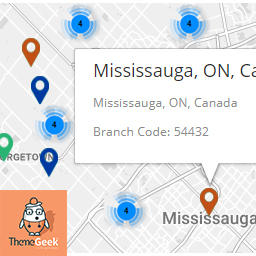
Selected location On Map, along with auto calculated longitude/latitude.
Installation
- Upload
locatorLTE.zipto the/wp-content/plugins/directory - Activate the plugin through the ‘Plugins’ menu in WordPress
FAQ
- Installation Instructions
-
- Upload
locatorLTE.zipto the/wp-content/plugins/directory - Activate the plugin through the ‘Plugins’ menu in WordPress
- Upload
- How to Install
-
- Upload
locatorLTE.zipto the/wp-content/plugins/directory - Activate the plugin through the ‘Plugins’ menu in WordPress
- Upload
- How to Use Plugin
-
- To use the plugin, After activating the plugin, place shortcode “[locatorlte]” in any page.
- Plugin will show “Branches” Tab.
- To use map service, you will need to enter Google Map API Key on locatorLTE Settings Page ( Settings > LocatorLTE Settings ).
Anmeldelser

22. april, 2018
Like it, and the filtering by city feature is great, easy to set up.

31. marts, 2018
Nice plugin, had the features that i was looking for, plus it was quite easy to use, thumbs up.
Bidragsydere & udviklere
“LocatorLTE – Premium Store Locator” er open source-software. Følgende personer har bidraget til dette plugin.
Bidragsydere
Oversæt “LocatorLTE – Premium Store Locator” til dit eget sprog.
Interesseret i udvikling?
Gennemse koden, tjek SVN repository, eller abonner på udviklerloggen via RSS.
Ændringslog
1.0
- Initial release
1.1
- Custom Zoom Option Added
- Custom Styles Option Added
- Clusterization Implemented
- Clusterization disable/enable option added
1.2
- Minor Bug fixes
1.3
- Filter By Cities features addition
- Map Bound Feature addition