
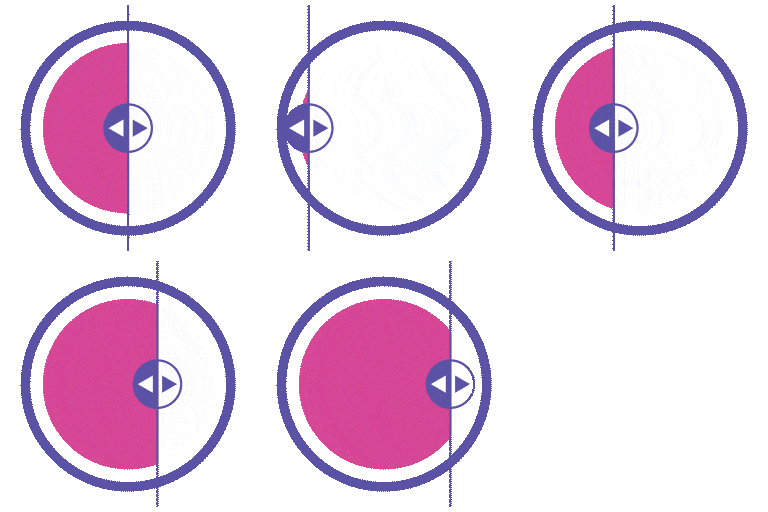
Description
Turn Ordinary Images Into Compelling Visual Stories – Instantly.
WP Before After Image Slider (also known as BefTer) is the most flexible and performance-optimized before-after comparison slider plugin for WordPress. Whether you’re a photographer showcasing edits, a designer presenting a redesign, a healthcare professional displaying treatment results, or a real estate agent revealing a renovation – BefTer helps you show real impact with zero effort.
Drag. Slide. Convert.
👉 Live Preview: BefTer Live Preview
👉 Pro Version: Explore Pro Features
👉 Documentation: Installation & Setup Guide
👉 Video Guide: Step-by-Step Instructions
👉 Support: Get Help
👉 Community: Join Our Facebook Page
Why Use a Before After Image Comparison Slider?
When words fail to capture your results, visuals deliver the proof.
An interactive before-after slider shows your audience exactly what you’ve achieved – whether it’s a photo retouch, a home renovation, a body transformation, or a product upgrade. It builds instant trust, boosts user engagement, and turns passive visitors into confident customers.
With BefTer, you get:
✅ Interactive, touch-friendly sliders that invite users to explore
✅ Visual storytelling that builds credibility and trust faster than any text
✅ Zero coding required – install, upload images, and publish in minutes
✅ Works with all major page builders – Elementor, Gutenberg, Divi, WPBakery, Bricks, Beaver Builder
✅ Lightweight and performance-optimized – no impact on site speed
🆓 Free Features
The free version of BefTer is packed with everything most websites need to create beautiful, professional image comparison sliders:
✅ Two-Image Comparison Slider – Side-by-side before and after comparisons
✅ Horizontal & Vertical Slider Layouts – Match your site’s design flow
✅ Customizable Before/After Text Labels – Personalize slider labels freely
✅ Label Visibility Control – Show or hide labels as needed
✅ Overlay Toggle Option – Add an overlay for a polished effect
✅ Interactive Mouse Hover Effects – Engage desktop users effortlessly
✅ Slide Trigger Control – Choose drag or hover interaction
✅ Slide Orientation Control – Horizontal or vertical sliding
✅ Adjustable Image Sizes – Fit sliders into any layout
✅ Lazy Loading – Improve page speed with on-demand image loading
✅ Built-in Shortcode Generator – Embed sliders anywhere in seconds
✅ Widget Support – Add sliders via WordPress widgets
✅ Image Alt-Tag Support – SEO-friendly image descriptions
✅ SEO-Friendly Structure – Built for search engine visibility
✅ Speed-Optimized Performance – Lightweight with no bloat
✅ Elementor Widget – Native drag-and-drop integration
🚀 Pro Features
Unlock the full power of BefTer with the Pro version – designed for creators, agencies, and businesses who demand more control and advanced visual experiences:
✅ Three-Image Comparison Slider – Add a third image for multi-step comparisons
✅ Labels for Three-Image Slider – Full labeling control across all three images
✅ Video Comparison Slider – Compare before-after videos with the same slider experience
✅ YouTube Video Support – Embed YouTube videos with custom duration settings
✅ Self-Hosted Video Support – Use your own videos with custom duration control
✅ Video Controller with Loop & Autoplay – Full video playback control
✅ Auto Slide (Animated Comparison) – Hands-free animated reveal – no interaction needed
✅ 8 Pre-Built Slider Templates – Professional, ready-to-use preview styles
✅ Image Comparison Carousel – Display multiple sliders in a carousel layout
✅ Popup / Full-Screen View – Immersive distraction-free full-screen slider mode
✅ Live Slider Preview – See your slider in real time before publishing
✅ Customizable Line Shape – Style the divider line to match your brand
✅ Line Color Customization – Full color control for the divider
✅ Customizable Labels – Advanced styling for label fonts, sizes, and colors
✅ Customizable Handle – Style the slider handle to fit your design
✅ Customizable Divider – Full control over divider style and appearance
✅ Customizable Overlay – Advanced overlay styling options
✅ Customizable Before/After Background Colors – Brand-matched color schemes
✅ Adjustable Default Slider Offset – Set where the slider starts on load
✅ Default Offset Position – Precise control over slider starting position
✅ Hide Slide Handler – Clean minimal look with no visible handle
✅ Slider Direction Control – Set sliding direction to horizontal or vertical
✅ Slider Captions – Add informative text captions to each side of your slider
✅ Slider Badge – Highlight featured comparisons with a custom badge
✅ Indicator Image – Add icons or pointers to guide viewer attention
✅ Priority Email Support – Fast, dedicated support from our team
✅ Product Updates for 1 Year – Stay current with the latest features
✅ Lowest Price Guaranteed – Best value in the market
✨ Standout Features at a Glance
👉 Two-Image & Three-Image Comparison Sliders
Highlight transformations side-by-side, or go even further with three-way comparisons for maximum visual impact.
👉 Video Comparison Slider
Go beyond static images. Compare before-after videos with the same intuitive drag-slide experience.
👉 Auto Slide (Animated Comparison)
Automatically animate your slider from start to end – a hands-free visual reveal that captures attention the moment it scrolls into view.
👉 One-Image Retouch Slider (Pro)
Create a before-after effect using just a single image. Apply filters like black & white or blur to generate the “before” state – perfect for photo retouching and color correction showcases.
👉 Image Comparison Carousel (Pro)
Display multiple before-after sliders in a sleek carousel. Ideal for portfolios, product showcases, and transformation case studies.
👉 Popup / Full-Screen View (Pro)
Give viewers an immersive, distraction-free experience with full-screen comparison mode.
👉 Live Slider Preview (Pro)
Preview exactly how your slider will look on the front end before publishing – adjust images, labels, and effects in real time.
👉 Slider Captions (Pro)
Add context and storytelling to each comparison with customizable captions on both the Before and After sides:
– Before: Top Left or Bottom Left
– After: Top Right or Bottom Right
👉 Slider Badge (Pro)
Highlight featured sliders with custom badges – “New,” “Edited,” “HD,” or any label you choose.
🔌 Seamless Integration With All Major Page Builders
BefTer works beautifully with every popular WordPress page builder:
✅ Elementor – Built-in widget for true drag-and-drop integration
✅ Gutenberg / Block Editor – Use the Shortcode block for instant embedding
✅ Divi – Insert shortcodes directly inside Divi modules
✅ WPBakery / Visual Composer – Add shortcodes to any layout with ease
✅ Bricks Builder – Fast, responsive sliders with zero custom code
✅ Beaver Builder – Smooth, responsive sliders that blend with your design
No matter which builder you use, BefTer delivers a consistent, seamless experience.
If you want to know more about the powerful functions and capabilities check the link.
🎯 Perfect For Every Industry That Relies on Visual Impact
BefTer is trusted by professionals across a wide range of industries:
✅ Photography & Graphic Design – Highlight photo edits, retouching, UI/UX redesigns, and creative makeovers
✅ Beauty, Wellness & Healthcare – Display skincare routines, cosmetic treatments, dental work, and body transformations
✅ Home Improvement & Interior Design – Showcase remodeling, renovation, painting, and landscaping projects
✅ Real Estate & Property Development – Compare staged vs. empty spaces, renovations, and new constructions
✅ E-Commerce & Fashion – Show product variations, color options, packaging changes, and design upgrades
✅ Automotive & Mechanical Services – Showcase vehicle restorations, detailing, and tuning transformations
✅ Education & Research – Visualize scientific changes, historical comparisons, and learning progress
✅ Food & Culinary Arts – Share recipe development, plating improvements, and food photography before-afters
✅ Event Planning & Decor – Present event setup transformations, wedding decor, and seasonal reveals
Video Tutorials
💬 Support & Community
We offer full support for BefTer via the WordPress.org support forums and our official website.
Before reaching out, please review our Support Policy to understand response times and coverage.
👉 Join our active Facebook Community to stay updated with new features, tips, and announcements.
🔐 Security Vulnerability Reporting
We take security seriously. If you discover a vulnerability or bug, please report it immediately using our Contact Form or by opening a Support Ticket. Our dedicated security team will promptly review and address any legitimate issues.
Our Other Plugins
👉 WriteRush – AI-Powered Content Writer & Complete Social Media Assistant
👉 Reading Time & Progress Bar – Display estimated reading time and a progress bar on posts
Screenshots

Slider List Page – A dashboard listing all sliders with edit and manage options. 
Carousel – A scrollable carousel displaying multiple sliders. 
Slider Template Settings – Panel to select templates and adjust layout settings. 
Style Customization – 1 – Basic styling options like colors and labels. 
Style Customization – 2 – Advanced controls for handle, borders, and effects. 
Three Image Comparison – Slider comparing before, middle, and after images. 
Two Image Comparison – Classic before-after image comparison slider. 
YouTube Video Option – Slider with an embedded YouTube video. 
Custom Video Option – Slider supporting uploaded or custom videos. 
Single Image Comparison – One image with a comparison overlay effect. 
Elementor Widget – Drag-and-drop widget to add sliders in Elementor.
Installation
- Upload the plugin files to the
/wp-content/plugins/wp-before-after-image-sliderdirectory, or install the plugin directly through the WordPress plugin screen by searching “WP Before After Image Slider.” - Activate the plugin through the Plugins screen in WordPress.
- Go to Before After Sliders in your WordPress dashboard and click Add New.
- Upload your before and after images, configure your settings, and save.
- Copy the generated shortcode or use the Elementor widget/Gutenberg block to embed your slider anywhere on your site.
For complete setup instructions, refer to our Installation & Setup Guide.
FAQ
-
What is WP Before After Image Slider (BefTer)?
-
WP Before After Image Slider – also known as BefTer – is a powerful WordPress plugin for creating interactive before-and-after image comparison sliders and galleries. It’s the perfect tool to visually compare two or more images side by side, showcasing progress, transformation, or changes over time.
-
What is a before and after image?
-
A before-and-after image comparison displays two versions of a scene – the “before” and the “after” – to highlight visual changes. It’s widely used in design, healthcare, beauty, fitness, photography, real estate, and more. For example, a dentist can display a patient’s smile before and after treatment to communicate results clearly and build trust.
-
How do I create a before and after image slider?
-
Creating a slider is quick and easy:
- Activate the plugin.
- Go to Before After Sliders in your WordPress dashboard.
- Click Add New to create a new slider.
- Upload your images, configure your settings, and save.
- Use the generated shortcode, Elementor widget, or Gutenberg block to embed the slider anywhere on your site.
-
Is the free version really free?
-
Yes – completely. The free version is available on the WordPress plugin repository and includes all core features for creating unlimited sliders. A Pro version with advanced features is available for those who need more customization and control.
-
Can I create a gallery of before and after images?
-
Absolutely. The plugin supports before-and-after image galleries with multi-column layouts, so you can display multiple comparisons on the same page in a clean, organized format.
-
Is the plugin compatible with all WordPress themes?
-
Yes. BefTer is built to work seamlessly with any modern WordPress theme. It integrates smoothly into your site’s design without causing layout or performance issues.
-
Can I use this plugin with page builders?
-
Yes. BefTer fully supports Elementor, Gutenberg, Divi, WPBakery, Bricks, and Beaver Builder. You can add sliders using shortcodes, widgets, or blocks depending on your preferred builder.
-
Can I display multiple sliders on the same page?
-
Yes. You can create and display multiple before-and-after sliders on a single page or across different pages. Each slider is fully independent, giving you complete flexibility.
-
Is the plugin responsive and mobile-friendly?
-
Absolutely. BefTer is fully responsive and optimized for all screen sizes. Your sliders will look and perform beautifully on desktops, tablets, and smartphones.
-
Is technical support available?
-
Yes. We provide dedicated support for both free and Pro users. You can contact our support team via email or through our WordPress.org community support forum.
Reviews


Contributors & Developers
“WP Before After Image Slider – Interactive Image and Video Comparison Plugin for WordPress” is open source software. The following people have contributed to this plugin.
Contributors
Interested in development?
Browse the code, check out the SVN repository, or subscribe to the development log by RSS.
Changelog
2.3.1
- Readme updated
2.3.0
- Added: Badge/watermark feature
2.2.3
- Added: Diagonal feature
2.2.2
- Added: Slider preview
2.2.1
- Added: Retouch one image feature
2.2.0
- Added: Carousel feature for displaying multiple before-after sliders
2.1.2
- Added: Auto slider feature
2.1.1
- Added: Label visibility option for better control over before/after labels
2.1.0
- Added: lazy loading system for images, videos, and iframes with performance optimization
- Added: Progressive loading strategy with smart loading based on user intent
- Fixed: YouTube iframe Error 153 with proper referrer policy handling
2.0.9
- Compatibility: Latest WordPress & PHP version
2.0.8
- Image Caption Added
2.0.7
- Issue fixed
2.0.6
- Readme updated
2.0.5
- Readme updated
2.0.4
- Fixed cross-browser compatibility issues.
2.0.3
- WordPress compatibility issue fixed
2.0.1
- Readme updated
2.0.0
- Enhancement: New plugin UI
- Added: New plugin dashboard
- Added: Video control option (auto play, loop, start time, end time)
1.1.1
- Fixed: Elementor video upload responsiveness issue
1.1.0
- Fixed: Elementor template 1,3,6 – handle border & divider width issue
- Fixed: Template 6 appearance issue
- Fixed: Template 5 border width issue
- Fixed: Padding calculation wrong issue
- Fixed: Background gradient color clear issue
- New: Comparable before after video default widget shortcode
- New: Comparable before after video Elementor widget
1.0.5
- Readme updated
1.0.4
- Enhancement: Popup responsiveness in mobile devices
- Issue Fix: Template 6 handle border color issue
- Issue Fix: Template 2 and 5 label alignment top
- Issue Fix: Template 3 label alignment bottom
- Issue Fix: Template 2,4,5,6,7,8 label alignment missing
- Bug Fix: Image upload issue after delete
- Bug Fix: Divider color missing in Elementor three images
1.0.3
- BugFix: Fatal error if Pro version installed without free version
- BugFix: Fatal error if free version deactivated while Pro active
- IssueFix: Both labels appear when slider moved to edges
- IssueFix: Indicator image appearance
- Compatibility: Latest WordPress & PHP version
- Compatibility: Elementor 3.28
- IssueFix: Hover trigger indicator image visibility
- IssueFix: Hover trigger handle label visibility
- IssueFix: Handle background gradient issue
- IssueFix: Three image Elementor label switch condition
- IssueFix: Three image middle label responsive issue
1.0.2
- Introduced: Dynamic before/after image changes for shortcode
- Introduced: API support for filter plugin settings and assets
1.0.1
- Improved: Media Uploader at Admin Panel
- Improved: Elementor editor support for shortcode
- Improved: Localizations
- Improved: Access permissions for sliders
- Fixed: Sliders disappearing with multiple instances
- Fixed: Widget selection issue
1.0
- Initial release of the WP Before After Image Slider plugin.