
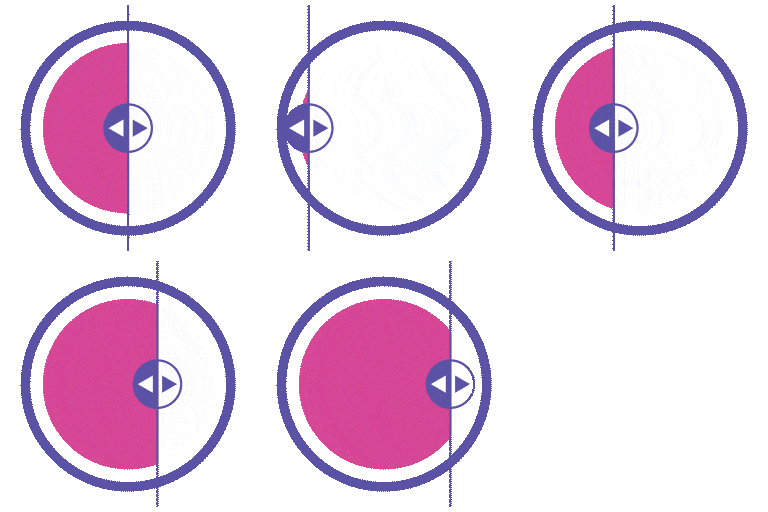
Beskrywing
Turn Ordinary Images Into Compelling Visual Stories – Instantly.
WP Before After Image Slider (also known as BefTer) is the most flexible and performance-optimized before-after comparison slider plugin for WordPress. Whether you’re a photographer showcasing edits, a designer presenting a redesign, a healthcare professional displaying treatment results, or a real estate agent revealing a renovation – BefTer helps you show real impact with zero effort.
Drag. Slide. Convert.
👉 Live Preview: BefTer Live Preview
👉 Pro Version: Explore Pro Features
👉 Documentation: Installation & Setup Guide
👉 Video Guide: Step-by-Step Instructions
👉 Support: Get Help
👉 Community: Join Our Facebook Page
Why Use a Before After Image Comparison Slider?
When words fail to capture your results, visuals deliver the proof.
An interactive before-after slider shows your audience exactly what you’ve achieved – whether it’s a photo retouch, a home renovation, a body transformation, or a product upgrade. It builds instant trust, boosts user engagement, and turns passive visitors into confident customers.
With BefTer, you get:
✅ Interactive, touch-friendly sliders that invite users to explore
✅ Visual storytelling that builds credibility and trust faster than any text
✅ Zero coding required – install, upload images, and publish in minutes
✅ Works with all major page builders – Elementor, Gutenberg, Divi, WPBakery, Bricks, Beaver Builder
✅ Lightweight and performance-optimized – no impact on site speed
🆓 Free Features
The free version of BefTer is packed with everything most websites need to create beautiful, professional image comparison sliders:
✅ Two-Image Comparison Slider – Side-by-side before and after comparisons
✅ Horizontal & Vertical Slider Layouts – Match your site’s design flow
✅ Customizable Before/After Text Labels – Personalize slider labels freely
✅ Label Visibility Control – Show or hide labels as needed
✅ Overlay Toggle Option – Add an overlay for a polished effect
✅ Interactive Mouse Hover Effects – Engage desktop users effortlessly
✅ Slide Trigger Control – Choose drag or hover interaction
✅ Slide Orientation Control – Horizontal or vertical sliding
✅ Adjustable Image Sizes – Fit sliders into any layout
✅ Lazy Loading – Improve page speed with on-demand image loading
✅ Built-in Shortcode Generator – Embed sliders anywhere in seconds
✅ Widget Support – Add sliders via WordPress widgets
✅ Image Alt-Tag Support – SEO-friendly image descriptions
✅ SEO-Friendly Structure – Built for search engine visibility
✅ Speed-Optimized Performance – Lightweight with no bloat
✅ Elementor Widget – Native drag-and-drop integration
🚀 Pro Features
Unlock the full power of BefTer with the Pro version – designed for creators, agencies, and businesses who demand more control and advanced visual experiences:
✅ Three-Image Comparison Slider – Add a third image for multi-step comparisons
✅ Labels for Three-Image Slider – Full labeling control across all three images
✅ Video Comparison Slider – Compare before-after videos with the same slider experience
✅ YouTube Video Support – Embed YouTube videos with custom duration settings
✅ Self-Hosted Video Support – Use your own videos with custom duration control
✅ Video Controller with Loop & Autoplay – Full video playback control
✅ Auto Slide (Animated Comparison) – Hands-free animated reveal – no interaction needed
✅ 8 Pre-Built Slider Templates – Professional, ready-to-use preview styles
✅ Image Comparison Carousel – Display multiple sliders in a carousel layout
✅ Popup / Full-Screen View – Immersive distraction-free full-screen slider mode
✅ Live Slider Preview – See your slider in real time before publishing
✅ Customizable Line Shape – Style the divider line to match your brand
✅ Line Color Customization – Full color control for the divider
✅ Customizable Labels – Advanced styling for label fonts, sizes, and colors
✅ Customizable Handle – Style the slider handle to fit your design
✅ Customizable Divider – Full control over divider style and appearance
✅ Customizable Overlay – Advanced overlay styling options
✅ Customizable Before/After Background Colors – Brand-matched color schemes
✅ Adjustable Default Slider Offset – Set where the slider starts on load
✅ Default Offset Position – Precise control over slider starting position
✅ Hide Slide Handler – Clean minimal look with no visible handle
✅ Slider Direction Control – Set sliding direction to horizontal or vertical
✅ Slider Captions – Add informative text captions to each side of your slider
✅ Slider Badge – Highlight featured comparisons with a custom badge
✅ Indicator Image – Add icons or pointers to guide viewer attention
✅ Priority Email Support – Fast, dedicated support from our team
✅ Product Updates for 1 Year – Stay current with the latest features
✅ Lowest Price Guaranteed – Best value in the market
✨ Standout Features at a Glance
👉 Two-Image & Three-Image Comparison Sliders
Highlight transformations side-by-side, or go even further with three-way comparisons for maximum visual impact.
👉 Video Comparison Slider
Go beyond static images. Compare before-after videos with the same intuitive drag-slide experience.
👉 Auto Slide (Animated Comparison)
Automatically animate your slider from start to end – a hands-free visual reveal that captures attention the moment it scrolls into view.
👉 One-Image Retouch Slider (Pro)
Create a before-after effect using just a single image. Apply filters like black & white or blur to generate the “before” state – perfect for photo retouching and color correction showcases.
👉 Image Comparison Carousel (Pro)
Display multiple before-after sliders in a sleek carousel. Ideal for portfolios, product showcases, and transformation case studies.
👉 Popup / Full-Screen View (Pro)
Give viewers an immersive, distraction-free experience with full-screen comparison mode.
👉 Live Slider Preview (Pro)
Preview exactly how your slider will look on the front end before publishing – adjust images, labels, and effects in real time.
👉 Slider Captions (Pro)
Add context and storytelling to each comparison with customizable captions on both the Before and After sides:
– Before: Top Left or Bottom Left
– After: Top Right or Bottom Right
👉 Slider Badge (Pro)
Highlight featured sliders with custom badges – “New,” “Edited,” “HD,” or any label you choose.
🔌 Seamless Integration With All Major Page Builders
BefTer works beautifully with every popular WordPress page builder:
✅ Elementor – Built-in widget for true drag-and-drop integration
✅ Gutenberg / Block Editor – Use the Shortcode block for instant embedding
✅ Divi – Insert shortcodes directly inside Divi modules
✅ WPBakery / Visual Composer – Add shortcodes to any layout with ease
✅ Bricks Builder – Fast, responsive sliders with zero custom code
✅ Beaver Builder – Smooth, responsive sliders that blend with your design
No matter which builder you use, BefTer delivers a consistent, seamless experience.
If you want to know more about the powerful functions and capabilities check the link.
🎯 Perfect For Every Industry That Relies on Visual Impact
BefTer is trusted by professionals across a wide range of industries:
✅ Photography & Graphic Design – Highlight photo edits, retouching, UI/UX redesigns, and creative makeovers
✅ Beauty, Wellness & Healthcare – Display skincare routines, cosmetic treatments, dental work, and body transformations
✅ Home Improvement & Interior Design – Showcase remodeling, renovation, painting, and landscaping projects
✅ Real Estate & Property Development – Compare staged vs. empty spaces, renovations, and new constructions
✅ E-Commerce & Fashion – Show product variations, color options, packaging changes, and design upgrades
✅ Automotive & Mechanical Services – Showcase vehicle restorations, detailing, and tuning transformations
✅ Education & Research – Visualize scientific changes, historical comparisons, and learning progress
✅ Food & Culinary Arts – Share recipe development, plating improvements, and food photography before-afters
✅ Event Planning & Decor – Present event setup transformations, wedding decor, and seasonal reveals
Video Tutorials
💬 Support & Community
We offer full support for BefTer via the WordPress.org support forums and our official website.
Before reaching out, please review our Support Policy to understand response times and coverage.
👉 Join our active Facebook Community to stay updated with new features, tips, and announcements.
🔐 Security Vulnerability Reporting
We take security seriously. If you discover a vulnerability or bug, please report it immediately using our Contact Form or by opening a Support Ticket. Our dedicated security team will promptly review and address any legitimate issues.
Our Other Plugins
👉 WriteRush – AI-Powered Content Writer & Complete Social Media Assistant
👉 Reading Time & Progress Bar – Display estimated reading time and a progress bar on posts
Screenshots

Slider List Page – A dashboard listing all sliders with edit and manage options. 
Carousel – A scrollable carousel displaying multiple sliders. 
Slider Template Settings – Panel to select templates and adjust layout settings. 
Style Customization – 1 – Basic styling options like colors and labels. 
Style Customization – 2 – Advanced controls for handle, borders, and effects. 
Three Image Comparison – Slider comparing before, middle, and after images. 
Two Image Comparison – Classic before-after image comparison slider. 
YouTube Video Option – Slider with an embedded YouTube video. 
Custom Video Option – Slider supporting uploaded or custom videos. 
Single Image Comparison – One image with a comparison overlay effect. 
Elementor Widget – Drag-and-drop widget to add sliders in Elementor.
Installation
- Upload the plugin files to the
/wp-content/plugins/wp-before-after-image-sliderdirectory, or install the plugin directly through the WordPress plugin screen by searching “WP Before After Image Slider.” - Activate the plugin through the Plugins screen in WordPress.
- Go to Before After Sliders in your WordPress dashboard and click Add New.
- Upload your before and after images, configure your settings, and save.
- Copy the generated shortcode or use the Elementor widget/Gutenberg block to embed your slider anywhere on your site.
For complete setup instructions, refer to our Installation & Setup Guide.
Kwel-vrae
-
What is WP Before After Image Slider (BefTer)?
-
WP Before After Image Slider – also known as BefTer – is a powerful WordPress plugin for creating interactive before-and-after image comparison sliders and galleries. It’s the perfect tool to visually compare two or more images side by side, showcasing progress, transformation, or changes over time.
-
What is a before and after image?
-
A before-and-after image comparison displays two versions of a scene – the “before” and the “after” – to highlight visual changes. It’s widely used in design, healthcare, beauty, fitness, photography, real estate, and more. For example, a dentist can display a patient’s smile before and after treatment to communicate results clearly and build trust.
-
How do I create a before and after image slider?
-
Creating a slider is quick and easy:
- Activate the plugin.
- Go to Before After Sliders in your WordPress dashboard.
- Click Add New to create a new slider.
- Upload your images, configure your settings, and save.
- Use the generated shortcode, Elementor widget, or Gutenberg block to embed the slider anywhere on your site.
-
Is the free version really free?
-
Yes – completely. The free version is available on the WordPress plugin repository and includes all core features for creating unlimited sliders. A Pro version with advanced features is available for those who need more customization and control.
-
Can I create a gallery of before and after images?
-
Absolutely. The plugin supports before-and-after image galleries with multi-column layouts, so you can display multiple comparisons on the same page in a clean, organized format.
-
Is the plugin compatible with all WordPress themes?
-
Yes. BefTer is built to work seamlessly with any modern WordPress theme. It integrates smoothly into your site’s design without causing layout or performance issues.
-
Can I use this plugin with page builders?
-
Yes. BefTer fully supports Elementor, Gutenberg, Divi, WPBakery, Bricks, and Beaver Builder. You can add sliders using shortcodes, widgets, or blocks depending on your preferred builder.
-
Can I display multiple sliders on the same page?
-
Yes. You can create and display multiple before-and-after sliders on a single page or across different pages. Each slider is fully independent, giving you complete flexibility.
-
Is the plugin responsive and mobile-friendly?
-
Absolutely. BefTer is fully responsive and optimized for all screen sizes. Your sliders will look and perform beautifully on desktops, tablets, and smartphones.
-
Is technical support available?
-
Yes. We provide dedicated support for both free and Pro users. You can contact our support team via email or through our WordPress.org community support forum.
Aanbevelings


Contributors & Developers
“WP Before After Image Slider – Interactive Image and Video Comparison Plugin for WordPress” is oopbron sagteware. Die volgende mense het bygedra tot die ontwikkeling van hierdie uitbreiding:
Contributors
Interested in development?
Browse the code, check out the SVN repository, or subscribe to the development log by RSS.
Changelog
2.3.1
- Readme updated
2.3.0
- Added: Badge/watermark feature
2.2.3
- Added: Diagonal feature
2.2.2
- Added: Slider preview
2.2.1
- Added: Retouch one image feature
2.2.0
- Added: Carousel feature for displaying multiple before-after sliders
2.1.2
- Added: Auto slider feature
2.1.1
- Added: Label visibility option for better control over before/after labels
2.1.0
- Added: lazy loading system for images, videos, and iframes with performance optimization
- Added: Progressive loading strategy with smart loading based on user intent
- Fixed: YouTube iframe Error 153 with proper referrer policy handling
2.0.9
- Compatibility: Latest WordPress & PHP version
2.0.8
- Image Caption Added
2.0.7
- Issue fixed
2.0.6
- Readme updated
2.0.5
- Readme updated
2.0.4
- Fixed cross-browser compatibility issues.
2.0.3
- WordPress compatibility issue fixed
2.0.1
- Readme updated
2.0.0
- Enhancement: New plugin UI
- Added: New plugin dashboard
- Added: Video control option (auto play, loop, start time, end time)
1.1.1
- Fixed: Elementor video upload responsiveness issue
1.1.0
- Fixed: Elementor template 1,3,6 – handle border & divider width issue
- Fixed: Template 6 appearance issue
- Fixed: Template 5 border width issue
- Fixed: Padding calculation wrong issue
- Fixed: Background gradient color clear issue
- New: Comparable before after video default widget shortcode
- New: Comparable before after video Elementor widget
1.0.5
- Readme updated
1.0.4
- Enhancement: Popup responsiveness in mobile devices
- Issue Fix: Template 6 handle border color issue
- Issue Fix: Template 2 and 5 label alignment top
- Issue Fix: Template 3 label alignment bottom
- Issue Fix: Template 2,4,5,6,7,8 label alignment missing
- Bug Fix: Image upload issue after delete
- Bug Fix: Divider color missing in Elementor three images
1.0.3
- BugFix: Fatal error if Pro version installed without free version
- BugFix: Fatal error if free version deactivated while Pro active
- IssueFix: Both labels appear when slider moved to edges
- IssueFix: Indicator image appearance
- Compatibility: Latest WordPress & PHP version
- Compatibility: Elementor 3.28
- IssueFix: Hover trigger indicator image visibility
- IssueFix: Hover trigger handle label visibility
- IssueFix: Handle background gradient issue
- IssueFix: Three image Elementor label switch condition
- IssueFix: Three image middle label responsive issue
1.0.2
- Introduced: Dynamic before/after image changes for shortcode
- Introduced: API support for filter plugin settings and assets
1.0.1
- Improved: Media Uploader at Admin Panel
- Improved: Elementor editor support for shortcode
- Improved: Localizations
- Improved: Access permissions for sliders
- Fixed: Sliders disappearing with multiple instances
- Fixed: Widget selection issue
1.0
- Initial release of the WP Before After Image Slider plugin.